EasyManua.ls Logo

Vicovation Vico-Opia 2 Premium - Display Settings

Vicovation Vico-Opia 2 Premium
57 pages
Print Icon
To Next Page IconTo Next Page
To Previous Page IconTo Previous Page
Loading...
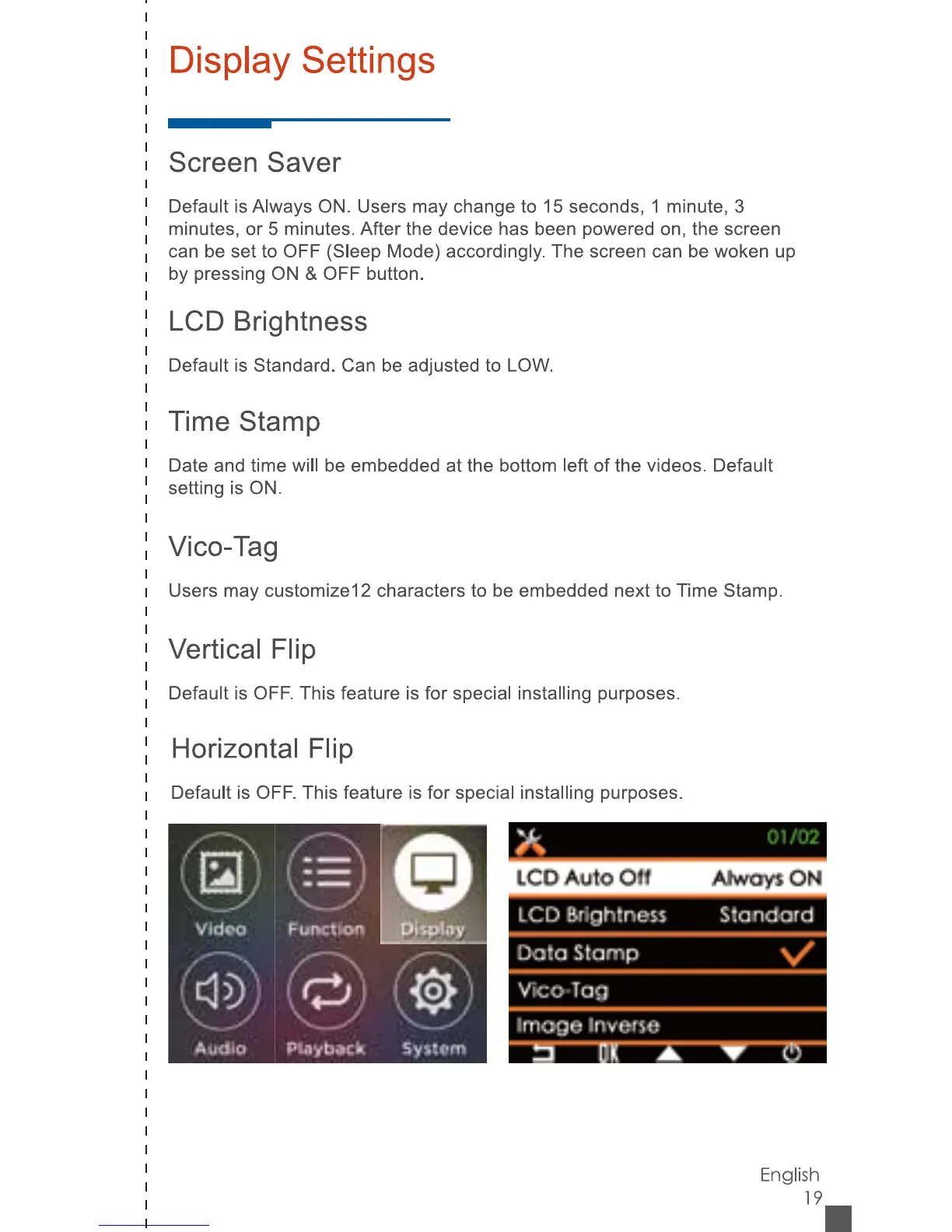
Display
Settings
Screen
Saver
Default
is
Always
ON.
Users
may
change
to
15
seconds,
1
minute,
3
minutes,
or
5
minutes.
After
the
device
has
been
powered
on,
the
screen
can
be
set
to
OFF
(Sleep
Mode)
accordingly.
The
screen
can
be
woken
up
by
pressing
ON
&
OFF
button.
LCD
Brightness
Default
is
Standard.
Can
be
adjusted
to
LOW.
Time
Stamp
Date
and
time
will
be
embedded
at
the
bottom
left
of
the
videos.
Default
setting
is
ON.
Vico-Tag
Users
may
customized
characters
to
be
embedded
next
to
Time
Stamp.
Vertical
Flip
Default
is
OFF.
This
feature
is
for
special
installing
purposes.
Horizontal
Flip
Default
is
OFF.
This
feature
is
for
special
installing
purposes.
X
_
01
102
LCD
AutO
Oil
Ahvdyi
ON
LCD
Urighlnew
Standard
Ootn
Stamp
VTcO'TaSJ
Image
IrwtJve
rz
D[
A
T
o
0
UiiDl.ny
m
cj
®
)
Audio
Playback
System
English
19