EasyManua.ls Logo

Vicovation Vico-Opia 2 Premium - System Settings

Vicovation Vico-Opia 2 Premium
57 pages
Print Icon
To Next Page IconTo Next Page
To Previous Page IconTo Previous Page
Loading...
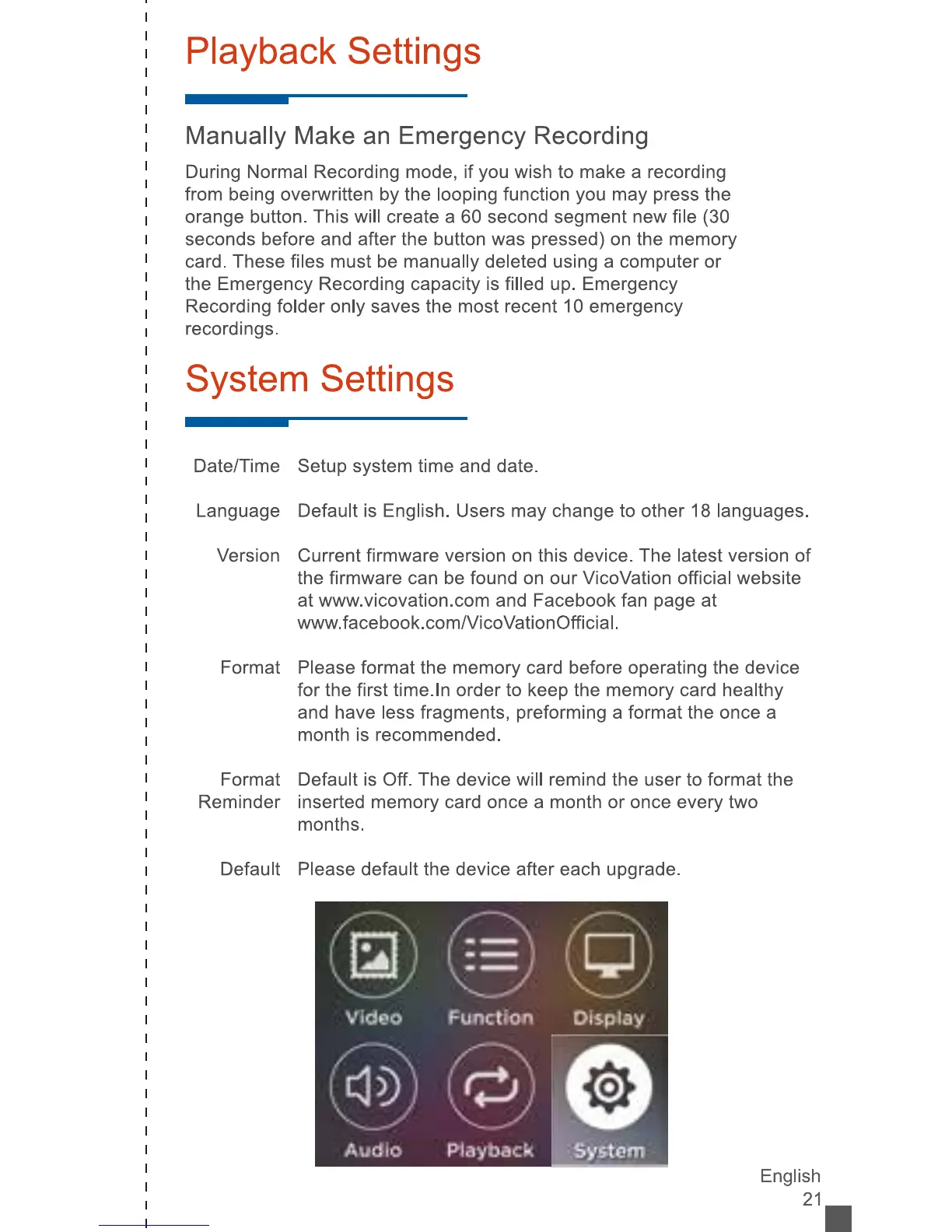
Playback
Settings
Manually
Make
an
Emergency
Recording
During
Normal
Recording
mode,
if
you
wish
to
make
a
recording
from
being
overwritten
by
the
looping
function
you
may
press
the
orange
button.
This
will
create
a
60
second
segment
new
file
(30
seconds
before
and
after
the
button
was
pressed)
on
the
memory
card.
These
files
must
be
manually
deleted
using
a
computer
or
the
Emergency
Recording
capacity
is
filled
up.
Emergency
Recording
folder
only
saves
the
most
recent
10
emergency
recordings.
System
Settings
Date/Time
Setup
system
time
and
date.
Language
Default
is
English.
Users
may
change
to
other
18
languages.
Version
Current
firmware
version
on
this
device.
The
latest
version
of
the
firmware
can
be
found
on
our
VicoVation
official
website
at
www.vicovation.com
and
Facebook
fan
page
at
www.facebook.com/VicoVationOfficial.
Format
Please
format
the
memory
card
before
operating
the
device
for
the
first
time.
In
order
to
keep
the
memory
card
healthy
and
have
less
fragments,
preforming
a
format
the
once
a
month
is
recommended.
Format
Default
is
Off.
The
device
will
remind
the
user
to
format
the
Reminder
inserted
memory
card
once
a
month
or
once
every
two
months.
Default
Please
default
the
device
after
each
upgrade.
English
21
-
:
Video
Function
Display
(o)
vtv
vrv
Audio
Playback
r®
System