EasyManua.ls Logo

Vicovation Vico-Opia 2 Premium - Page 25

Vicovation Vico-Opia 2 Premium
57 pages
Print Icon
To Next Page IconTo Next Page
To Previous Page IconTo Previous Page
Loading...
Emergency
Recording
Function
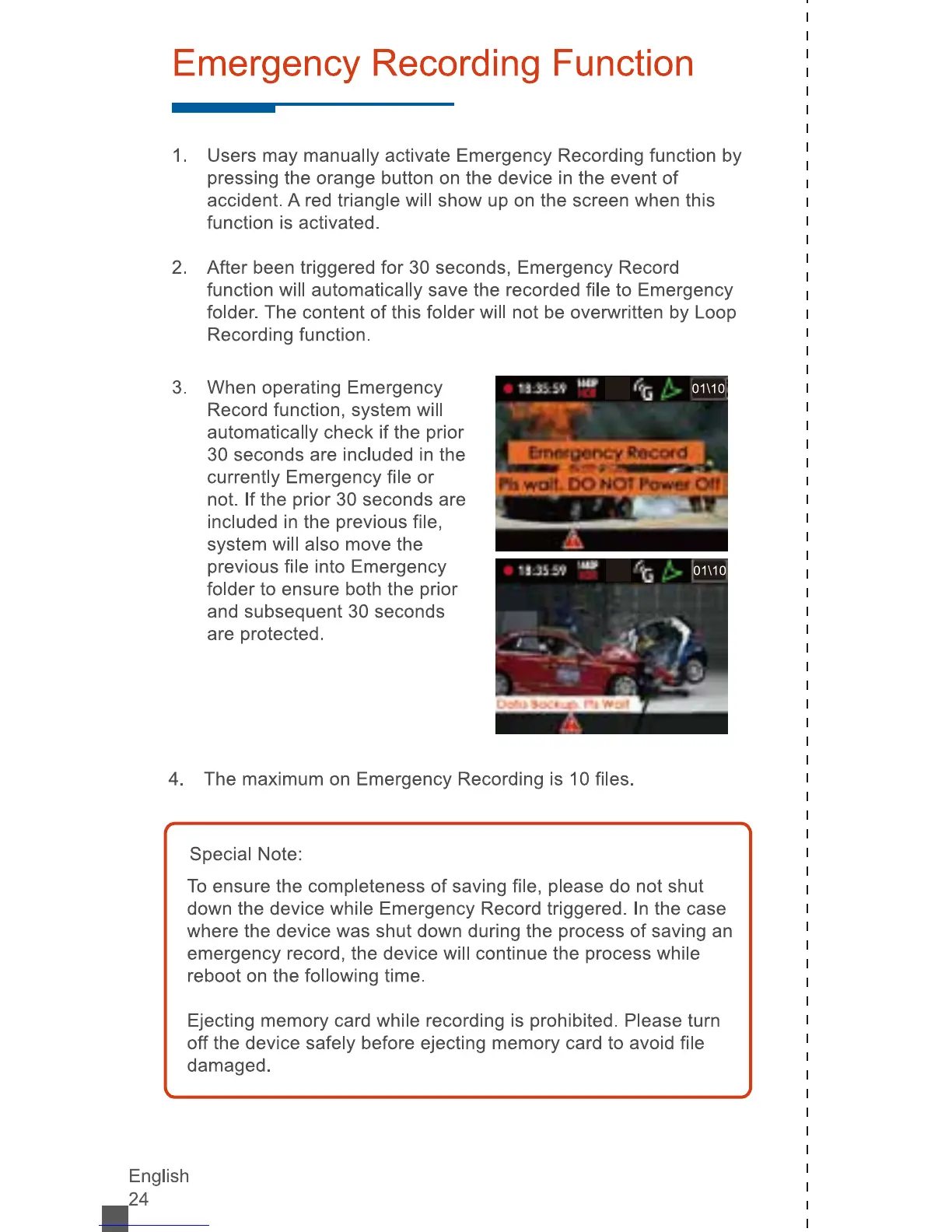
1.
Users
may
manually
activate
Emergency
Recording
function
by
pressing
the
orange
button
on
the
device
in
the
event
of
accident.
A
red
triangle
will
show
up
on
the
screen
when
this
function
is
activated.
2.
After
been
triggered
for
30
seconds,
Emergency
Record
function
will
automatically
save
the
recorded
file
to
Emergency
folder.
The
content
of
this
folder
will
not
be
overwritten
by
Loop
Recording
function.
3.
When
operating
Emergency
Record
function,
system
will
automatically
check
if
the
prior
30
seconds
are
included
in
the
currently
Emergency
file
or
not.
If
the
prior
30
seconds
are
included
in
the
previous
file,
system
will
also
move
the
previous
file
into
Emergency
folder
to
ensure
both
the
prior
and
subsequent
30
seconds
are
protected.
4.
The
maximum
on
Emergency
Recording
is
10
files.
Special
Note:
To
ensure
the
completeness
of
saving
file,
please
do
not
shut
down
the
device
while
Emergency
Record
triggered.
In
the
case
where
the
device
was
shut
down
during
the
process
of
saving
an
emergency
record,
the
device
will
continue
the
process
while
reboot
on
the
following
time.
Ejecting
memory
card
while
recording
is
prohibited.
Please
turn
off
the
device
safely
before
ejecting
memory
card
to
avoid
file
damaged.
English
B24