6
Need Help? Watch the video at www.victortech.com/High-Rise
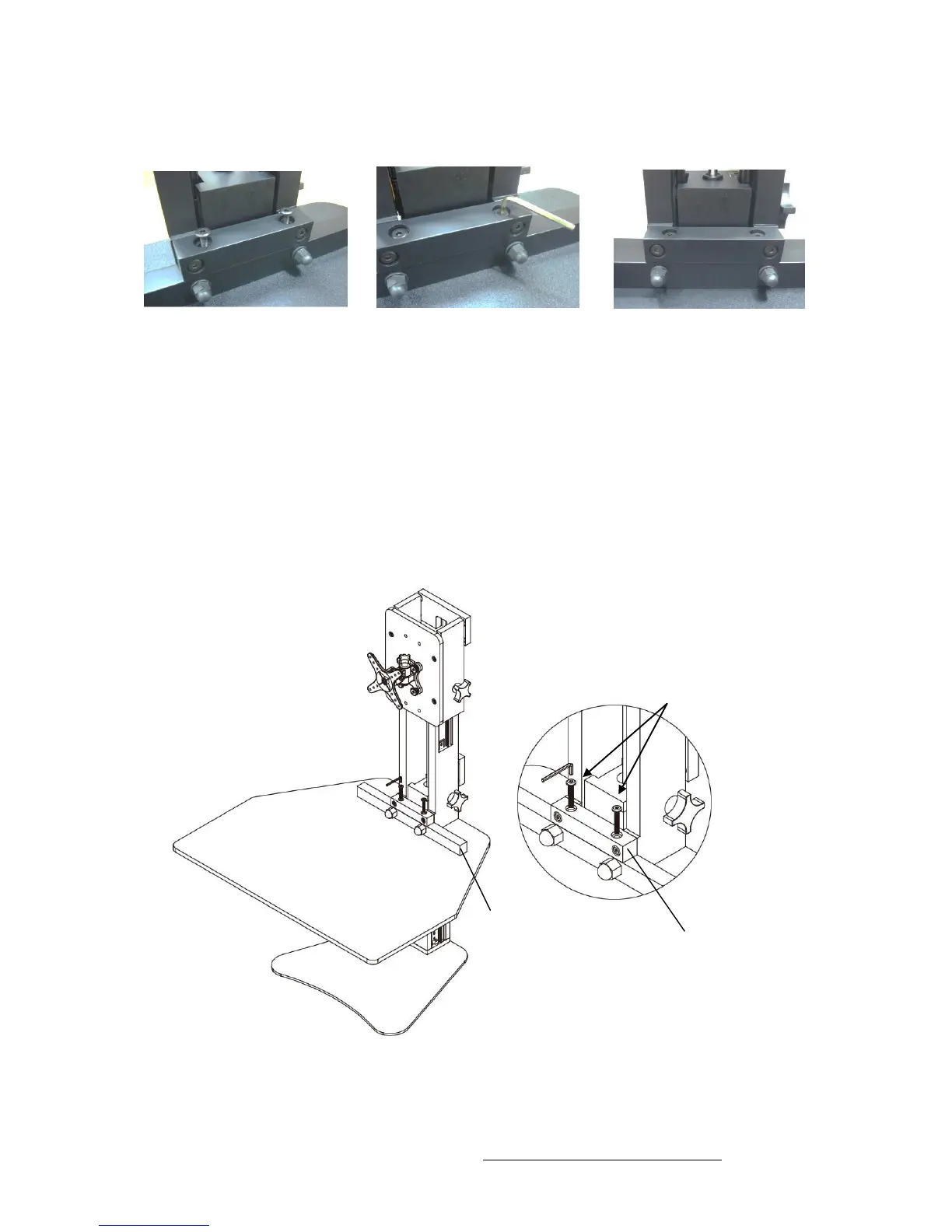
Step 4: Attach Upper Cross Bar to Desk Cross Bar
1 2 3
1. Insert two M6*40mm bolts through the upper cross bar and into the desk
crossbar.
2. Tighten using the small hex key. Do not over tighten.
TIP: While tightening, lift the front of the desk slightly to better align the holes
and reduce the effort to tighten the bolts.



 To Next Page