EasyManua.ls Logo

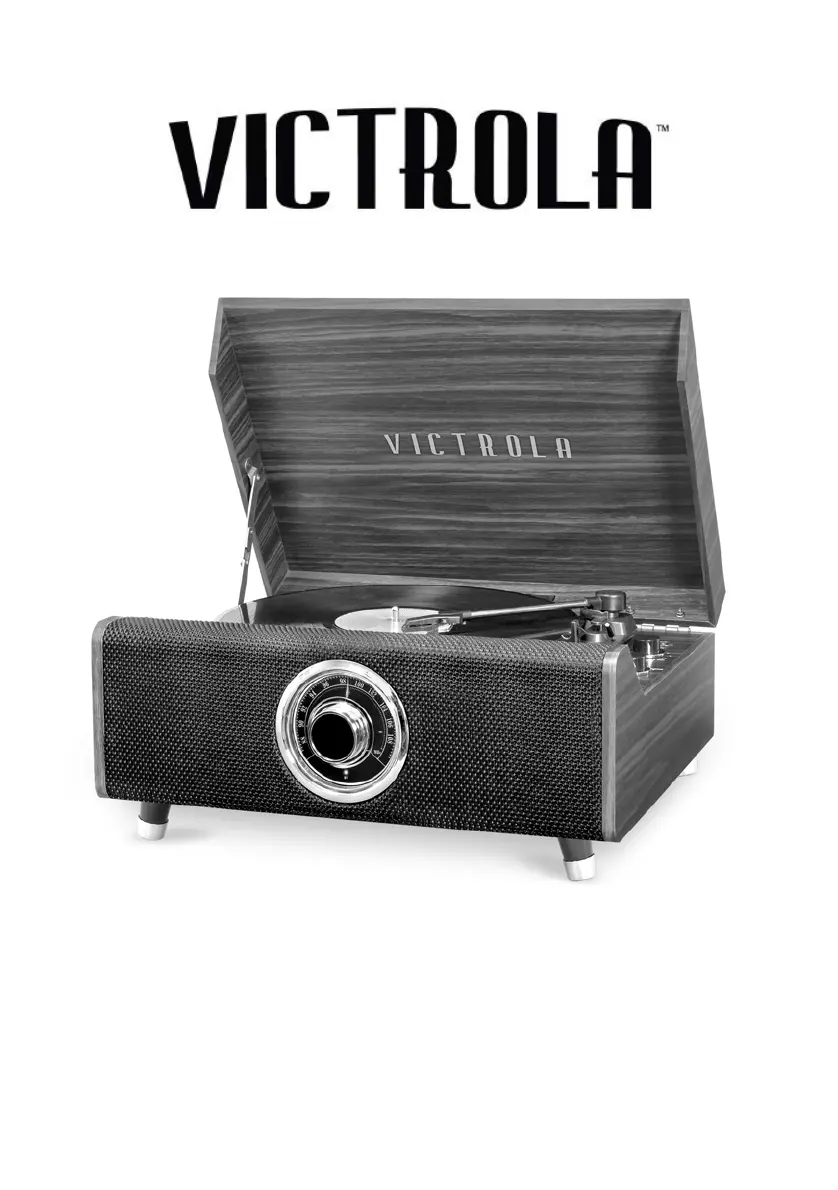
Victrola HIGHLAND - User Manual

Victrola HIGHLAND
13 pages
Print Icon
To Next Page IconTo Next Page
Loading...
MODEL: VTA-330B
HIGHLAND
4-IN-1 MUSIC CENTER

Questions and Answers

  • C
    Charles ParsonsJul 29, 2025
    Why is there no sound coming from my Victrola HIGHLAND?
    • A
      Ashley ParkerJul 29, 2025
      If you can't hear any sound from your Victrola Turntable speakers, first, adjust the volume to a higher level. If that doesn't work, make sure the input selector matches the source you're using for playback.
  • A
    Alexandra WalkerAug 4, 2025
    Why is there no sound on my Victrola HIGHLAND Bluetooth?
    • S
      sullivanchristineAug 4, 2025
      If your Victrola Turntable isn't producing any sound, ensure the unit is switched to BT mode. Also, check that the volume on your portable device and the unit is turned up. If the issue persists, move your Bluetooth device closer to the unit. As an additional step, turn off your Bluetooth device and the unit, then power them both back on.
  • J
    jamesgarciaAug 9, 2025
    Why is my Victrola HIGHLAND not playing sound from AUX?
    • T
      Todd Weeks Jr.Aug 9, 2025
      If your Victrola Turntable is not producing sound when an external audio device is plugged into the AUX in jack, make sure the unit is switched to AUX mode.
  • R
    rebecca57Aug 16, 2025
    What to do if my Victrola HIGHLAND Turntable is not responding?
    • R
      riveramasonAug 16, 2025
      If your Victrola Turntable is not responding, disconnect the power cord and any external audio devices. After one minute, plug the power cord back in.
  • R
    Ronald TaylorAug 22, 2025
    Why can't my Victrola Turntable pick up radio stations?
    • C
      Cameron LandryAug 22, 2025
      If you cannot listen to any station on your Victrola Turntable, or the signal appears weak, properly tune-in the desired station. Also, if a TV is nearby, turn it off as it may be interfering with the radio reception.

Summary

Important Safety Instructions

General Safety Warnings

Key safety precautions for operation, including electrical shock and moisture risks.

Detailed Safety Guidelines

Comprehensive list of safety guidelines for product use, handling, and maintenance.

Product Information

Included Accessories

Lists all items provided with the product, such as cables and adapters.

Product Overview

Front;Top View Components

Identifies and describes the main controls and indicators on the front and top of the unit.

Rear View Connections

Details the ports and connections located on the rear panel of the unit.

Turntable Components

Identifies and describes the various parts of the turntable mechanism.

Stand Assembly Instructions

Initial Setup Procedure

Steps for assembling the stand and preparing the unit for first use.

Basic Operation and Setup

Initial Unit Setup

Instructions for removing protective covers, connecting power, and initial configuration.

Performing Basic Operations

Guides users on turning on/off, adjusting volume, and selecting audio sources.

RCA Line Out Connection

Explains how to connect the unit to an external amplifier using RCA cables.

Condensation Warning

Advises on how to handle temperature changes to prevent condensation issues.

Listening Modes

FM Radio Operation

Instructions for tuning into and listening to FM radio stations.

Bluetooth Audio Playback

Steps for connecting and playing audio via Bluetooth from external devices.

AUX Input Audio

How to connect and play audio from external devices using the AUX-IN jack.

Vinyl Record Playback

Detailed guide on how to play vinyl records, including setup and handling.

Maintenance and Care

Vinyl Record Handling

Best practices for handling, cleaning, and storing vinyl records to preserve quality.

General Unit Care

Guidelines for cleaning and maintaining the music center, including power cord safety.

Stylus Replacement

Step-by-step instructions for safely replacing the turntable stylus.

Product Specifications

Troubleshooting Guide

General Issues

Solutions for common problems like power, sound output, and unit response.

FM Radio Troubleshooting

Addresses issues related to radio reception and sound quality.

Phono;Turntable Issues

Troubleshooting steps for problems with vinyl record playback performance.

AUX Input Issues

Solutions for no sound output when using the AUX-IN connection.

Bluetooth Connectivity Issues

Guides on resolving problems with Bluetooth pairing and audio streaming.

FCC Compliance Statement

IC Compliance Statement

California Proposition 65 Warning

Limited Warranty Information

Victrola HIGHLAND Specifications

General IconGeneral
Speeds33 1/3, 45, 78 RPM
USB RecordingNo
ColorMahogany
TypeBelt Drive Turntable
ConnectivityBluetooth
FeaturesBuilt-in Speakers
OutputsRCA

Related product manuals