8
Tips
① Camera only supports 2.4GHz, 802.11b/g/n wireless network.
② Please modify the initial password in a timely manner for the sake of
security.
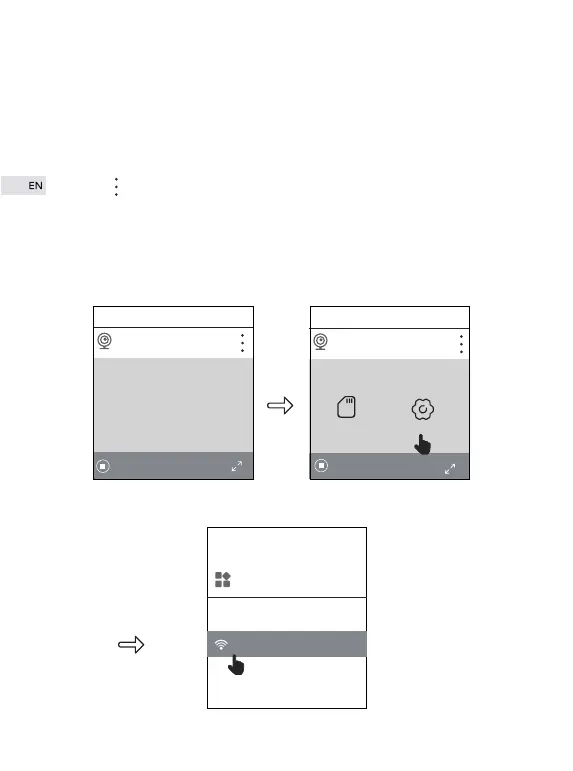
③ If you want to convert from wired connection to wireless connection,
click “ ”→“settings”→“WiFi”. Input WiFi and password your phone is
currently using. Click “confirm”. When camera says “please remove
network cable and camera will restart”, please DO pull out network cable.
There is no need to cut off power supply. You can use this way when WiFi
can not be connected directly.
Home
IP Camera
26.7KB/S
Home
IP Camera
SD Card RECORDS
Setting
26.7KB/S
+ +
System
WiFi


 To Next Page