4
Add Device
Method A: wired manual connection (recommended)
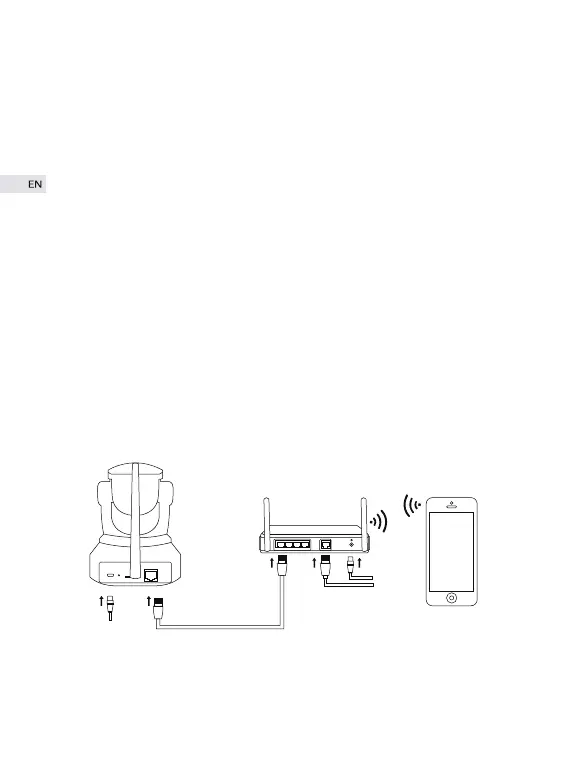
① When camera has been connected to power supply, the red indicator
somewhere around infrared lamp will light up and the unit will automatical-
ly rotate 355° laterally and 85° vertically. Please then plug one side of
network cable into camera and the other side into router LAN. Please
make sure that your phone and camera are under the same router.
④ What is highly recommended is to go to “Me”→“Account &Securi-
ty”→“Bind Email” to bind an email address after registration succeeds in
case that you forgot password.


 To Next Page