9
EyeCloud OPERATION INSTRUCTIONS
④ If camera has been added successfully, “EyeCloud” will guide user to
change initial password. After completion of changing password, camera
will reboot automatically. Real-time monitoring will be available after
reboot.
add a device
weak password warning
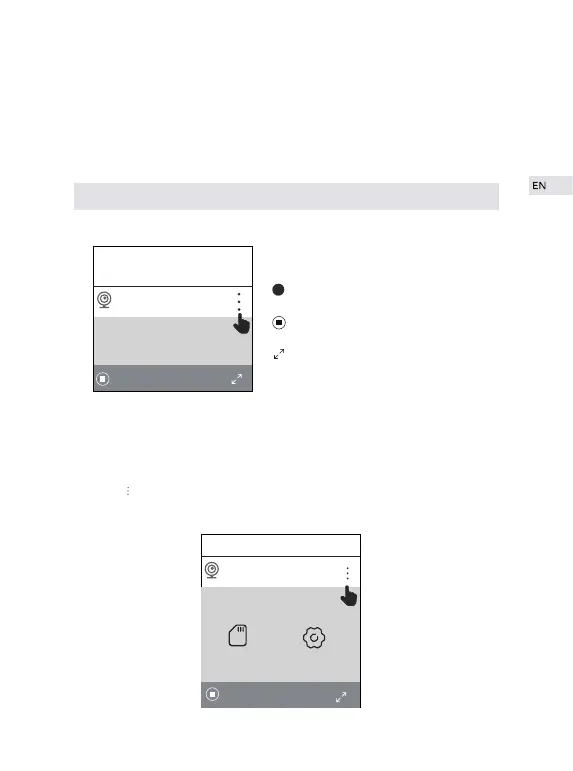
Click on and you will see two options—SD Card Records and Settings.
to pause
full screen
+
+
Home
IPCAM
SD Card RECORDS
Settings
26.7KB/S
!
Home
IP Camera
26.7KB/S
+


 To Next Page