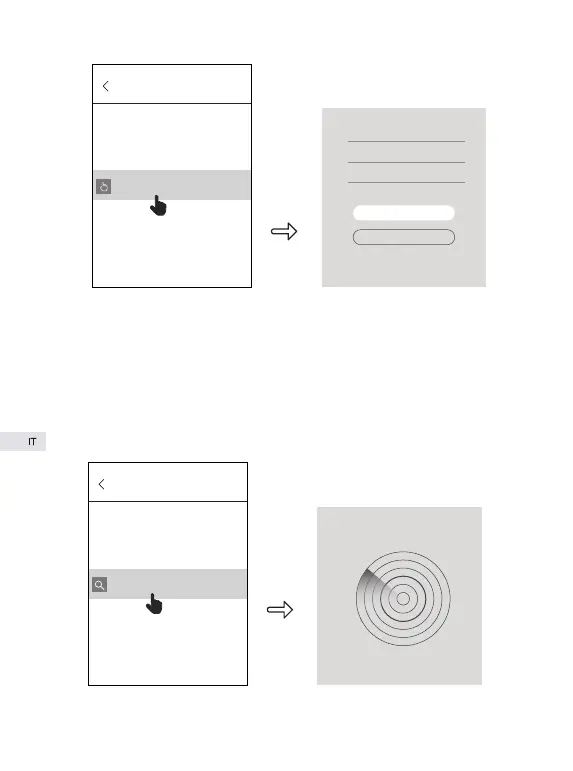
b. Ricerca automatica
Clicca “Search in LAN”, trova tutte le camere fotografiche nella rete
dell’area locale attuale. L’interfaccia “Aggiunzione Cemera” comparisce
tra qualche minuto. Se non riesce a trovare camera fotografica, ritorna alla
fase precedente per riprovare. Quelle camere fotografiche legate con
l’account EyeCloud non sono trovabili.
ADD Device
Manually add
Name: IP Camera
UID: VSTD094568TXXR
Passeord:
ok
QR Code Scan
ADD Device
Search in LAN
86


 To Next Page