● Configure monitors
● Unit of measure
● Key Beep Set
● Diag Beep Set
● Tool self-test
● About
4 Tool Information
Selecting Setup>About option opens a screen that shows information
about your code reader, such as serial number and software version.
To view information of your code reader:
1.Use the UP/DOWN key to highlight About from home menu and press
the OK key.
2.A screen with detailed information of the code reader displays.
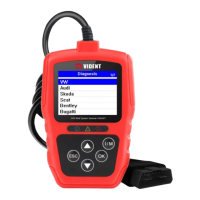
To update the scanner, you need following tools:
● Scanner V301
● Update Tool
● PC or laptop with USB Ports and Internet explorer
● USB cable
To be able to use update tool, PC or laptop must meet the following
minimum requirements:
● Operation System: All Windows systems, Win 98 to Win 10.
● CPU: Intel P or better
● RAM: 64MB or better
● Hard Disk Space: 30MB or better
● Display: 800*600 pixel, 16 byte true color display or better
● Internet Explorer 4.0 or newer
Update Procedure
1) Download the update tool and update files from our website
www.videnttech.com and save the applications and files in
5. Introduction to update client Ieasy
5.1 Updating the scanner


 To Next Page