11
2. W PANEL PROGRAMMING
INSTALLATION MANUAL
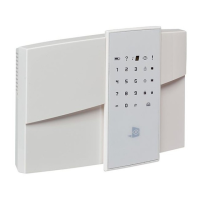
W & WIP Alarm panel
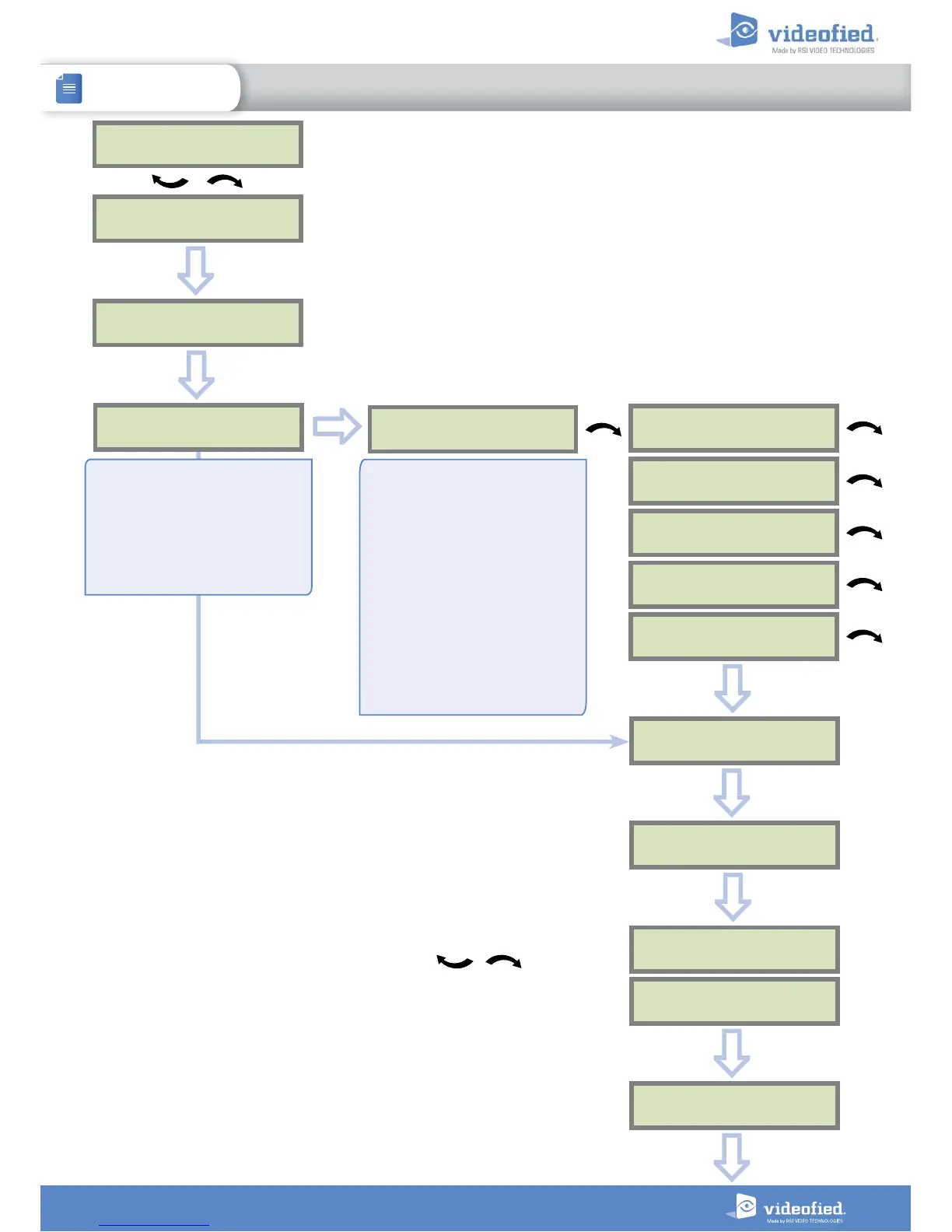
IP
PARAMETERS ?
OK or YES
DHCP :
ENABLED
DHCP :
DISABLED
PANEL IP
OK or YES
IP MASK
PRIMARY
DNS
GATEWAY
IP
PARAMETERS ?
ESC
NO
ETH. STATUS ?
TEST IN PROGRESS
OK/YES = END
ESC
NO
OK or YES
PANEL IP
XXX.XXX.XXX.XXX
ETH. STATUS ?
ESC
NO
ESC
NO
During this test, the panel tries to connect to the local Ethernet Network. The result of
this test can be:
• If the connection is successful: the local IP of the panel will be displayed (you
can display other Ethernet parameters with the arrows ).
• ETHERNET OFF NO STATUS : the Ethernet module is switched off. Please verify
that the Ethernet cable is connected and try again..
• NETWORK/CABLE MISSING : the panel doesn’t detect Ethernet Cable or
Network
SECONDARY
DNS
By setting the DHCP as ENABLED,
a new IP address will be assigned
dynamically to the panel every
time it connects to the network.
Network parameters will not be
asked.
If the router forces a static IP
address for the panel, there will
then be a need to define DHCP
as DISABLED. You will then need
to fill in the following network
parameters fields :
Panel IP, IP Mask, Primary DNS,
Gateway and Secondary DNS
Warning: Verify that the IP
address selected is available on
the Network and accepted by the
router.
ESC
NO
ETHERNET:
ENABLED
Unavailable on the W730
ETHERNET:
DISABLED
OK or YES


 To Next Page