Rev AA Manage Messages 5-25
Videojet 1710 Operator Manual
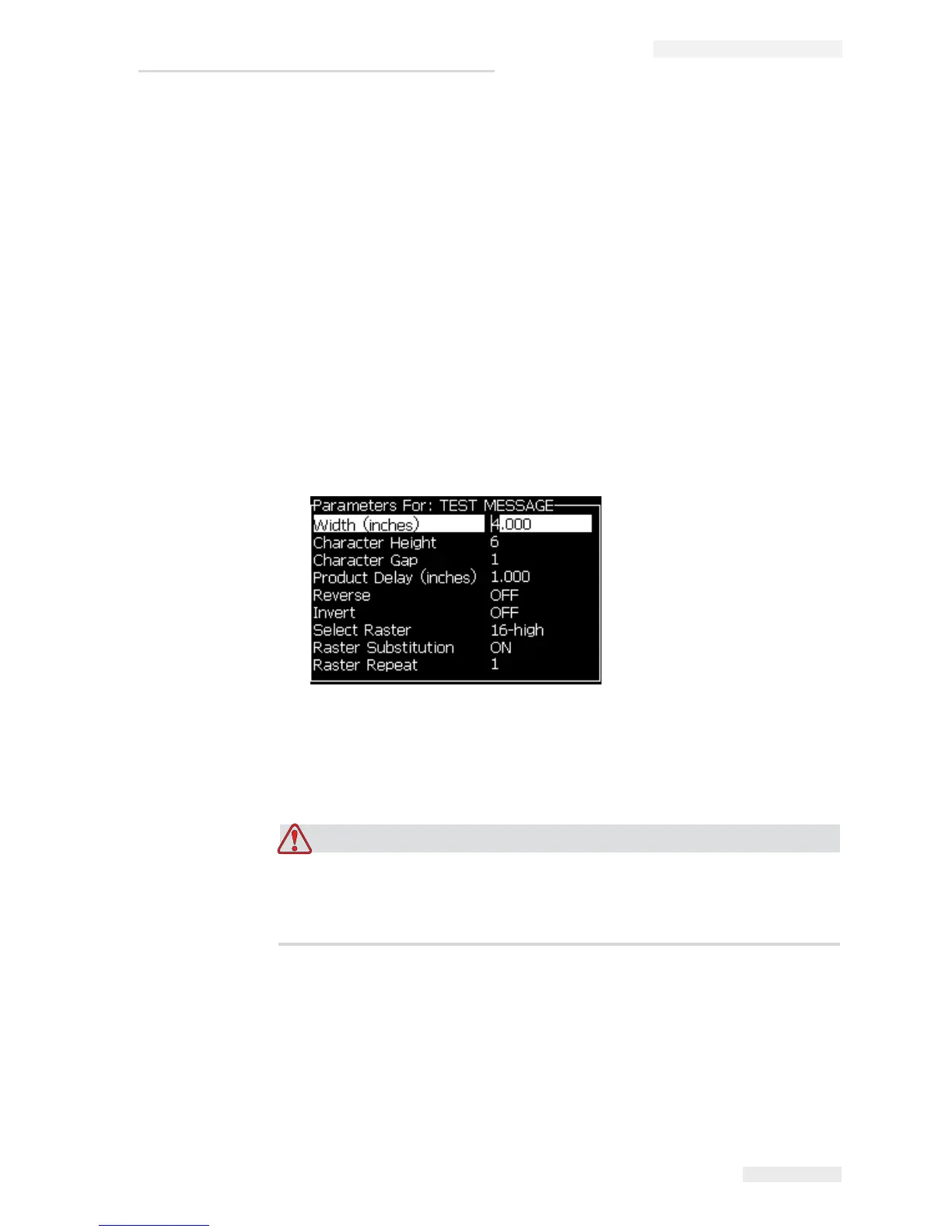
To Set Message Parameters
When you create and edit a message, you can change the values for the
parameters.
Do the following task to set the Message Parameters:
1 Press the Alt + M keys or the F4 key (only in Editor menu) to open the
Messages menu.
2 Under the Messages menu, select the Message Parameters (Figure 5-11) to
edit the values.
Note: The changes made to the values under the message parameters is
applicable only to current messages and not applied to the new messages.
3 Select each parameter that you require to edit, and enter the required value.
After all the parameter values are set, press the Enter key to return to the
Message Editor screen.
To Clear a Message
RISK OF DATA LOSS. The Clear Message option, when selected, does not
ask for confirmation to clear the message and also, you cannot recover the
messages that are cleared.
Do the following tasks to clear all the contents of the message that is edited:
1 Follow from Step 1 to Step 3 under the section “To Edit a Message” on
page 5-20 to open the Message Editor screen.
2 Press the keys Alt+E to open the Editor menu.
3 Select Clear Message from the Editor menu. The message is removed.
Figure 5-11: Message Parameters Dialog Box



 To Next Page