Rev AA Replace Smart Cartridges 6-3
Videojet 1710 Operator Manual
Replace Smart Cartridges
There are two types of smart cartridges:
• Ink cartridge
• Make-up fluid cartridge
The user has to install the cartridges when the printer is commissioned or
when the cartridges are empty. The type of fluid (ink or make-up fluid) is
written on the cartridge labels.
To add or replace the cartridges, do the following tasks:
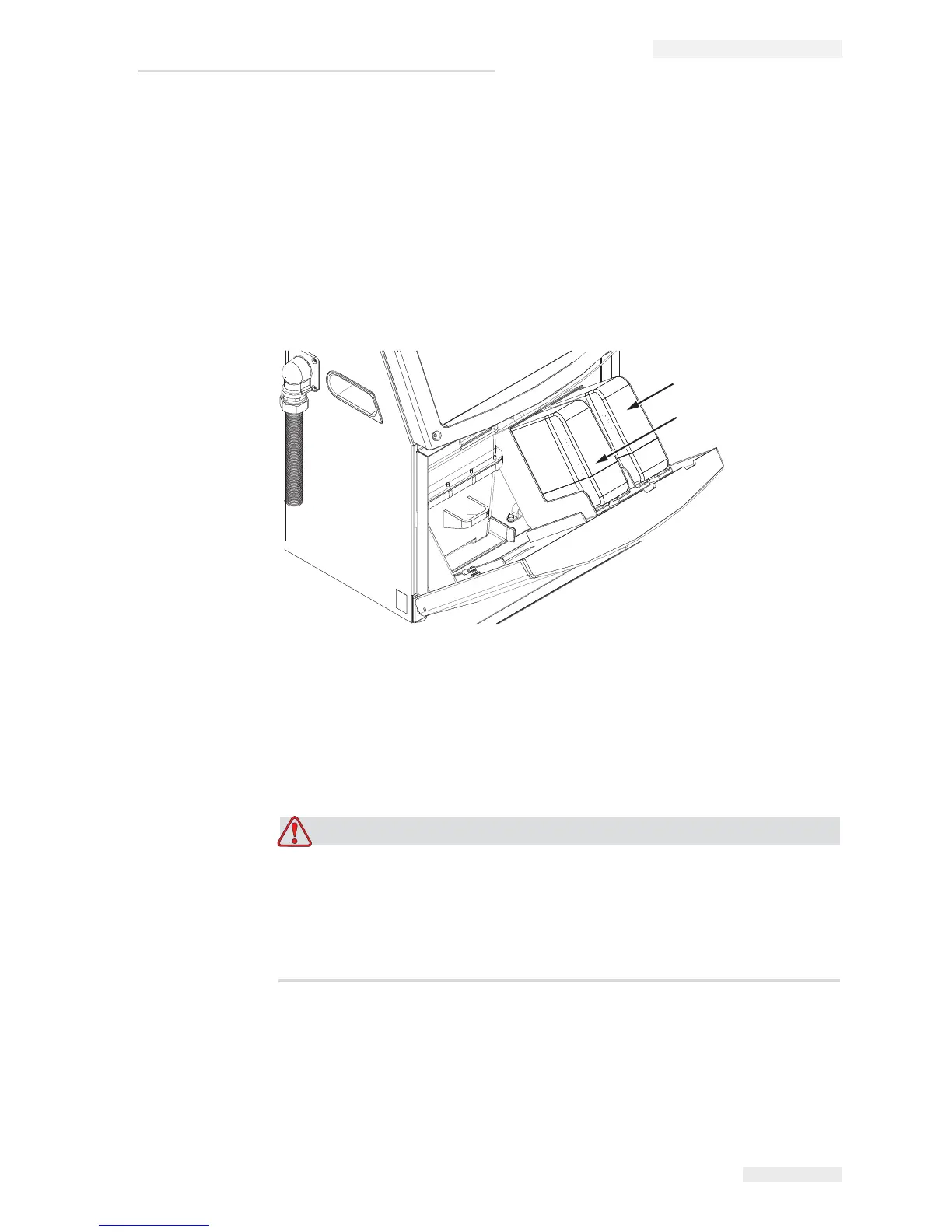
1 Open the door of the ink compartment, and keep the door in the
position shown in the
Figure 6-1.
PERSONAL INJURY. All fluids like the ink, solvent and make-up
fluid are volatile and flammable. They must be stored and handled
according to local regulations. Work only in areas with good
ventilation. The cleaning solution is poisonous if taken internally. Do
not drink. Seek medical attention immediately if ingested.
2 Pull the old ink cartridge (item 1, Figure 6-2 on page 6-4) and the old
make-up fluid cartridge (item 2) out of the printer cabinet.
Note: Shake the ink cartridge before inserting it into the printer.
1
2
Figure 6-1: Smart Cartridges
1. Ink Cartridge
2. Make-up Fluid Cartridge


 To Next Page