7-8 Printer Status Icons Rev AA
Videojet 1710 Operator Manual
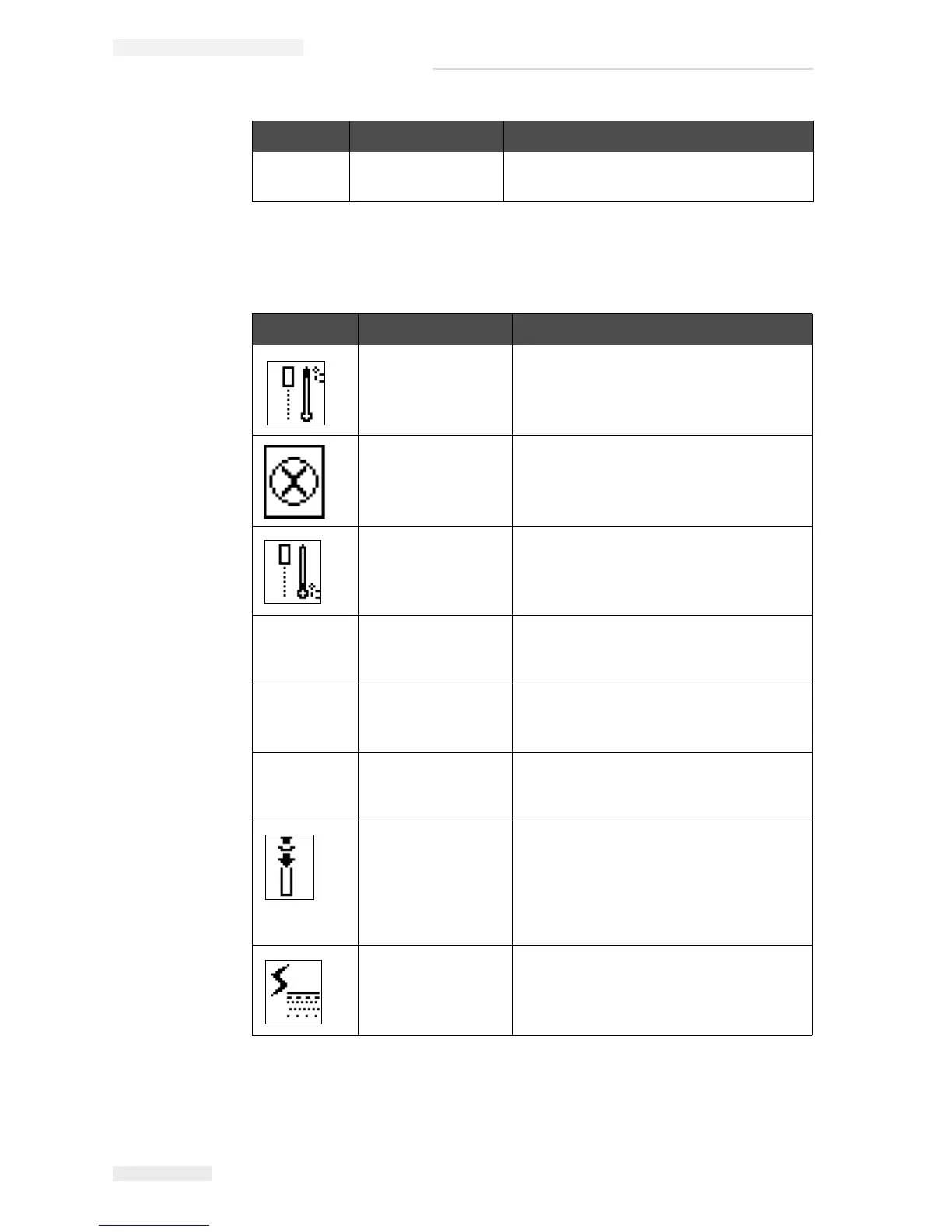
Warning Icons
- Pump Fault Pump near max RPM and pressure low.
Contact Videojet maintenance engineer.
Icon Name Remedial Action
Head Temp Too
High
The measured printhead temperature is
more than 3° Celsius above the target
temperature. Contact Videojet
maintenance engineer.
Incorrect Raster or
Raster Family
Name
Requested raster table not loaded into
system. Contact Videojet maintenance
engineer.
Head Temp Too
Low
The measured printhead temperature is
more than 3° Celsius below the target
temperature. Contact Videojet
maintenance engineer.
- TOF Too High The measured jet velocity is more than
10% above the target velocity. Contact
Videojet maintenance engineer.
- TOF Too Low The measured jet velocity is more than
10% below the target jet velocity.
Contact Videojet maintenance engineer.
- No Signal Fault
Shutdown
The warning is disabled by entering
Service mode and enabled by leaving
Service mode.
Printhead Cover
Open
The printhead cover is not closed
correctly. The printer continues to run but
will not print. If this icon appears when
the printhead cover is closed correctly,
report the fault to a maintenance
engineer
Phase Threshold
Error
The printer is unable to acquire a phase
profile with the phase threshold set to the
minimum value. Contact Videojet
maintenance engineer.
Table 7-5: Warning Icons
Icon Name Remedial Action
Table 7-4: Fault (Alarm) Icons (Continued)



 To Next Page