3-2 Control Panel Rev AA
Videojet 1710 Operator Manual
Control Panel
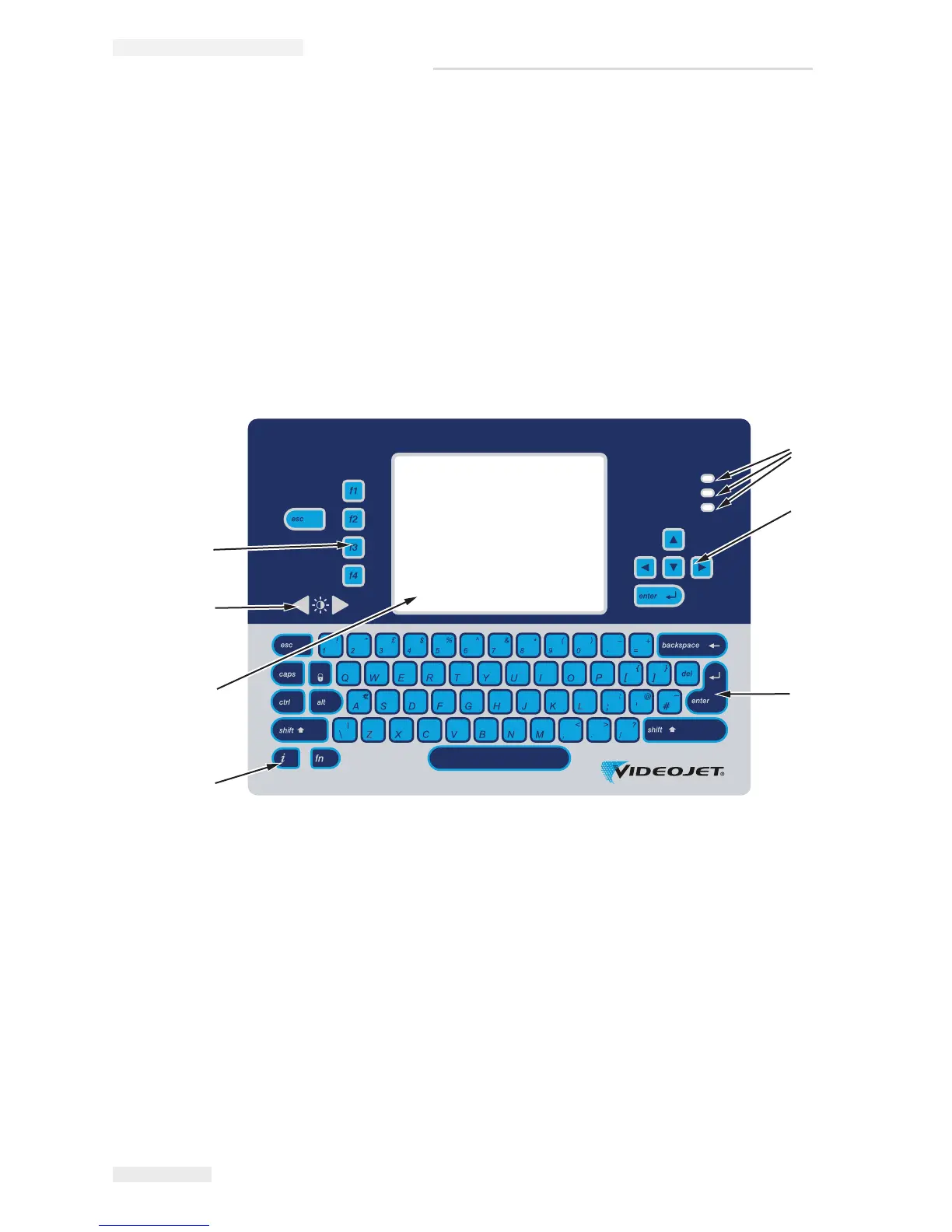
You can use the control panel (Figure 3-2) to do the following tasks:
• Start and stop the printer
• Create, edit, copy and delete the print messages
• Select a message to print
• Monitor the status of the printer
• Configure and control the printer functions
Note: You can set the password protection for some functions to prevent any
access that is not authorised.
Note: Language specific keypads are provided with the language kits.
Status LEDs
The light emitting diodes (LEDs) (item 1, Figure 3-2) indicate the system status.
1. Status LEDs
2. Arrow Keys
3. Keypad
4. Information Key
5. Display
6. Contrast Key
7. Function Keys
Figure 3-2: Control Panel



 To Next Page