5-12 Menu Description Rev AA
Videojet 1710 Operator Manual
System
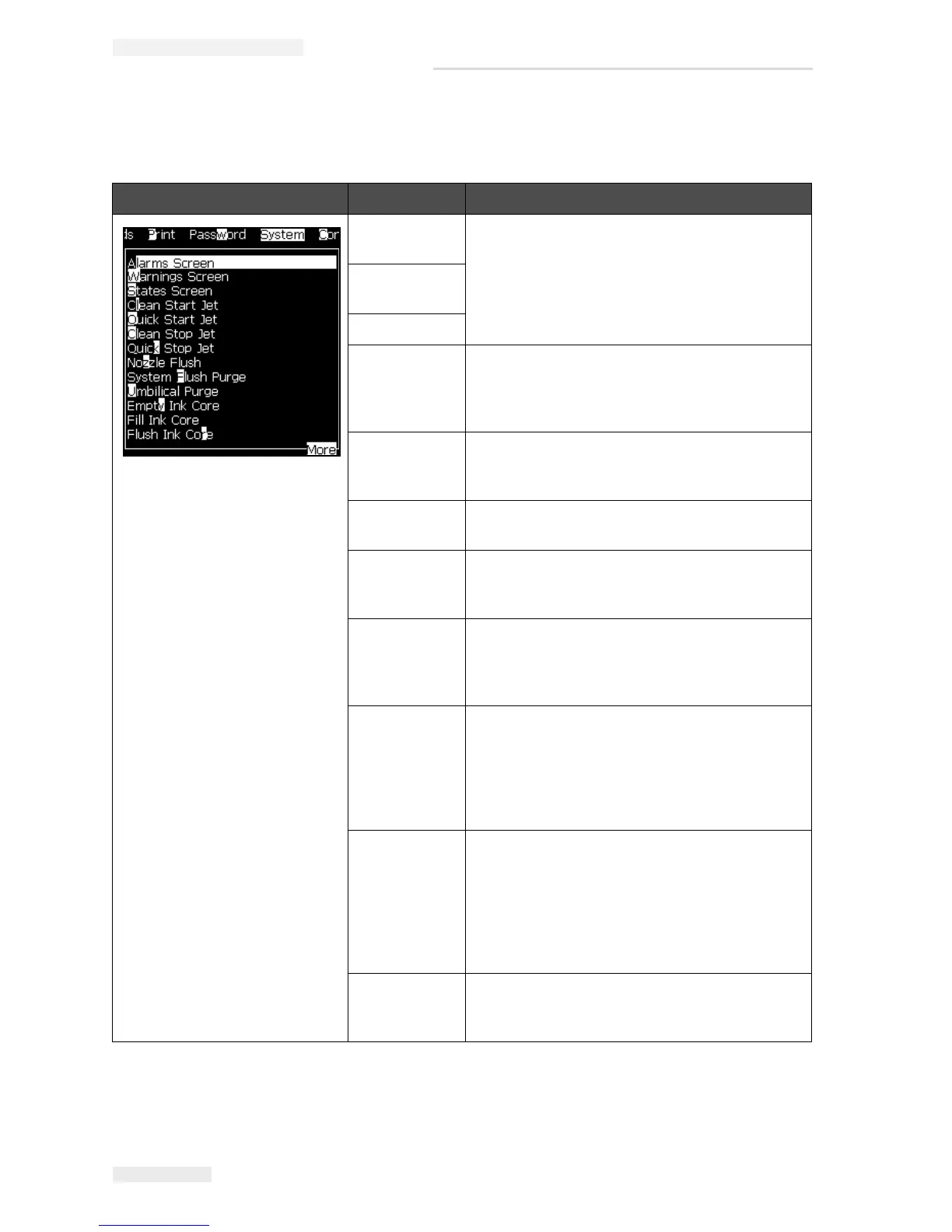
System Menu Command Function
Alarms
Screen
Refer to “System Menu” on page 4-10
Warnings
Screen
States Screen
Clean Start
Jet
The ink jet is started and Starting the jet is
displayed. A flush and bleed sequence is
performed to eliminate ink splashing and spray
before ink is fed to the nozzle.
Quick Start
Jet
The ink jet is started and the message Starting
the jet is displayed. Use Quick Start if the
machine has been off for less than half an hour.
Clean Stop
Jet
The ink jet is stopped, the nozzle and related
ink core module pipes are cleaned.
Quick Stop
Jet
This method starts without a flushing sequence,
and uses the ink supply to bleed air from the
nozzle.
Nozzle Flush The nozzle orifice is cleaned by the application
of solvent and a suction action. The flush
continues for two minutes unless the F1 key is
pressed to stop it.
System Flush
Purge
The machine is started and the flush pump
operated. This function removes air from the
flush system during the commissioning or when
air has been introduced to the flush system
during a fault, etc. Press the Enter key and a
dialog box opens: “Are you sure YES-NO”.
Umbilical
Purge
When using Umbilical Purge, the umbilical feed
and return tubes must be disconnected from the
nozzle feed and return tubes. Loop the
umbilical feed and return tubes together and
cap the nozzle feed and return tubes. Opens
the Umbilical Purge dialog box. Select Enable
to start and Disable to stop the umbilical purge.
Empty Ink
Core
This function empties the ink from the ink core
module and puts the ink in a specially
programmed ink cartridge.
Table 5-8: System Menu and Commands


 To Next Page
 Loading...