Rev AA Menu Description 5-15
Videojet 1710 Operator Manual
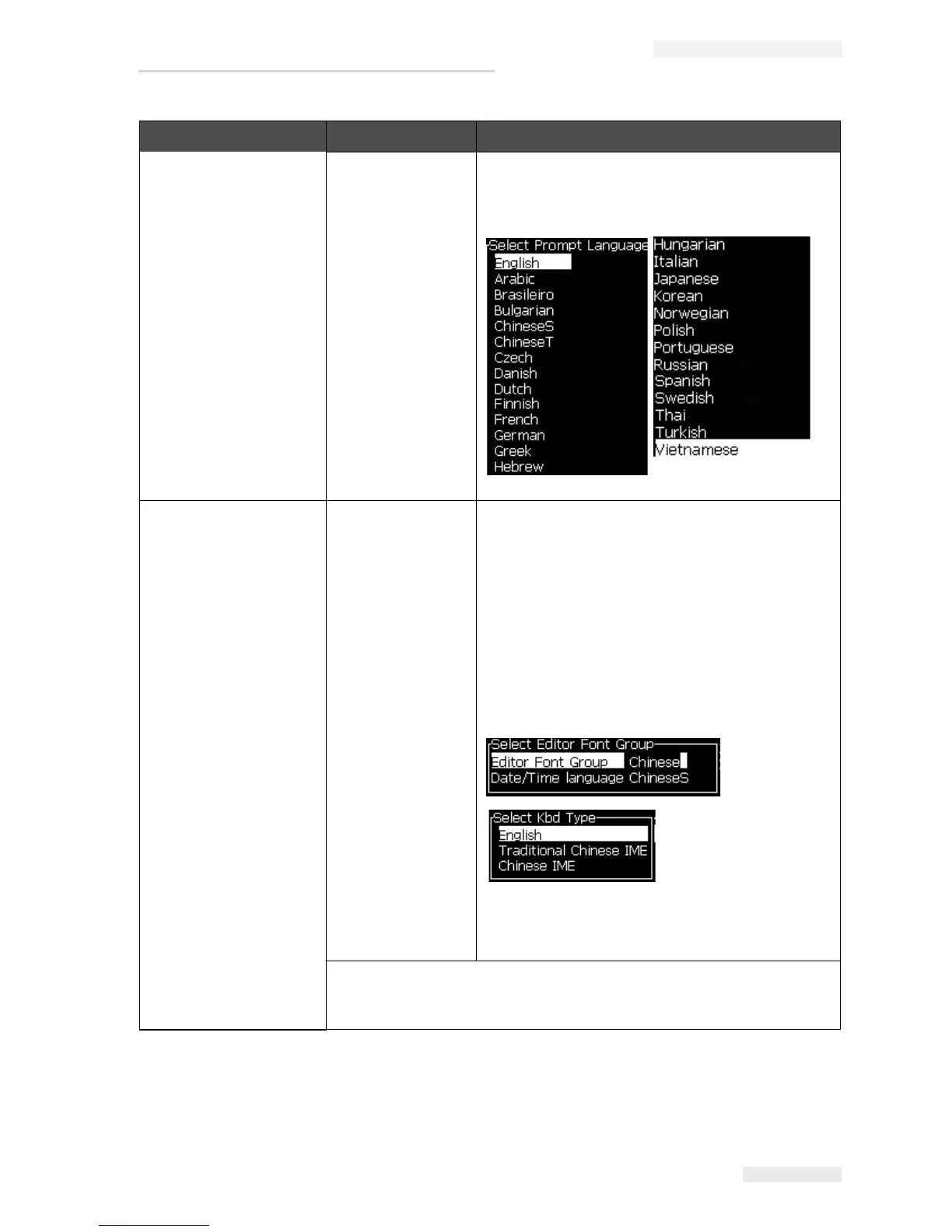
Set Language Allows the language used for the display to be set.
Opens the Select prompt language menu with the
language options available (available languages
depend on the printer model).
Set Editor Font
group
Used to set the editor font group that you require:
•Chinese
• Japanese
• International
Note: The display language and keyboard
language are independent.
For example, an operator in China has to print
Japanese characters, the display language must
be changed to Chinese S or Chinese T. To do this,
you must set the keyboard type under the Editor
Menu (
“To Insert Foreign Language Characters”
on page 5-57).
You must set the Editor Font group to Japanese. A
power cycle (turn off the printer and turn on the
printer) is required.
Photocell Source - Selects the photocell source to be used. Opens the
Print Control menu. Photocell source can be toggled between External 1
and External 2. (NB External 2 requires special software).
Configure Menu Commands Function
Table 5-9: Configure Menu and Commands (Continued)



 To Next Page