EXCEL 2000 Series Operator Manual
6-17
Reverse a Message
This procedure explains how to reverse an entire message.
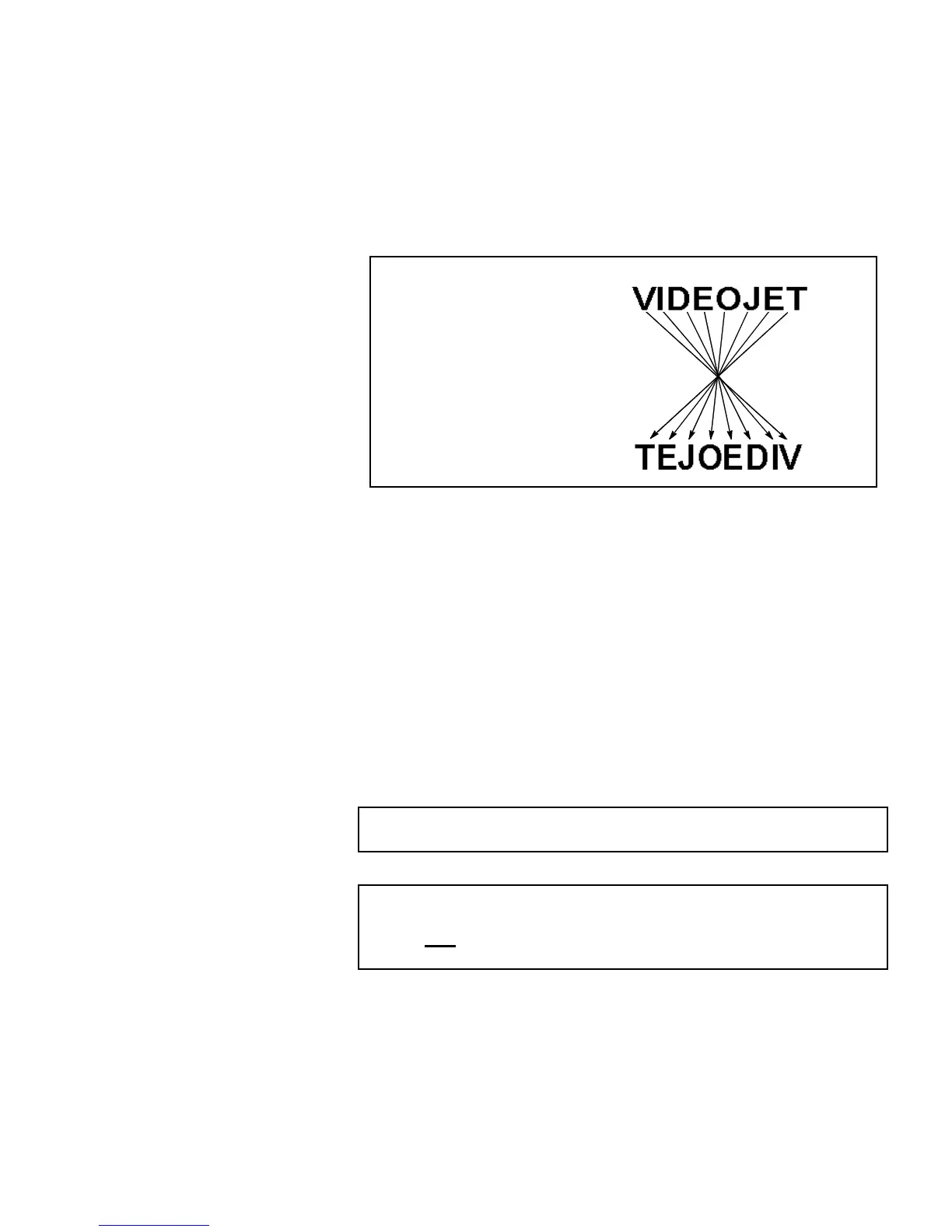
Reversing the message rotates the order of the characters, printing
the last character first, and the first character last. Refer to
Figure 6-11.
Figure 6-11. Reversing the Message – Example
Procedure
1.
Load the desired existing message into the printer or create a
new message and load it into the printer.
2.
Begin in Frame <03 PRINT>. Refer to Figure 6-10 on
page 6-16.
3.
View the current setting above <REVERSE MESSAGE>. Is it
set to <ON>?
•
If NO, press F2 to change the setting to <ON>. This will
reverse the entire message.
•
If YES, the message is already set to be reversed.
NOTE:The message will not appear reversed in the display
screen, however it will be reversed when printed.
NOTE: When the product is moving past the printhead from
left to right, it is necessary to reverse all characters
and
reverse the entire message for the code to print
correctly on the product.
ormal Message
Reversed Message


 To Next Page
 Loading...