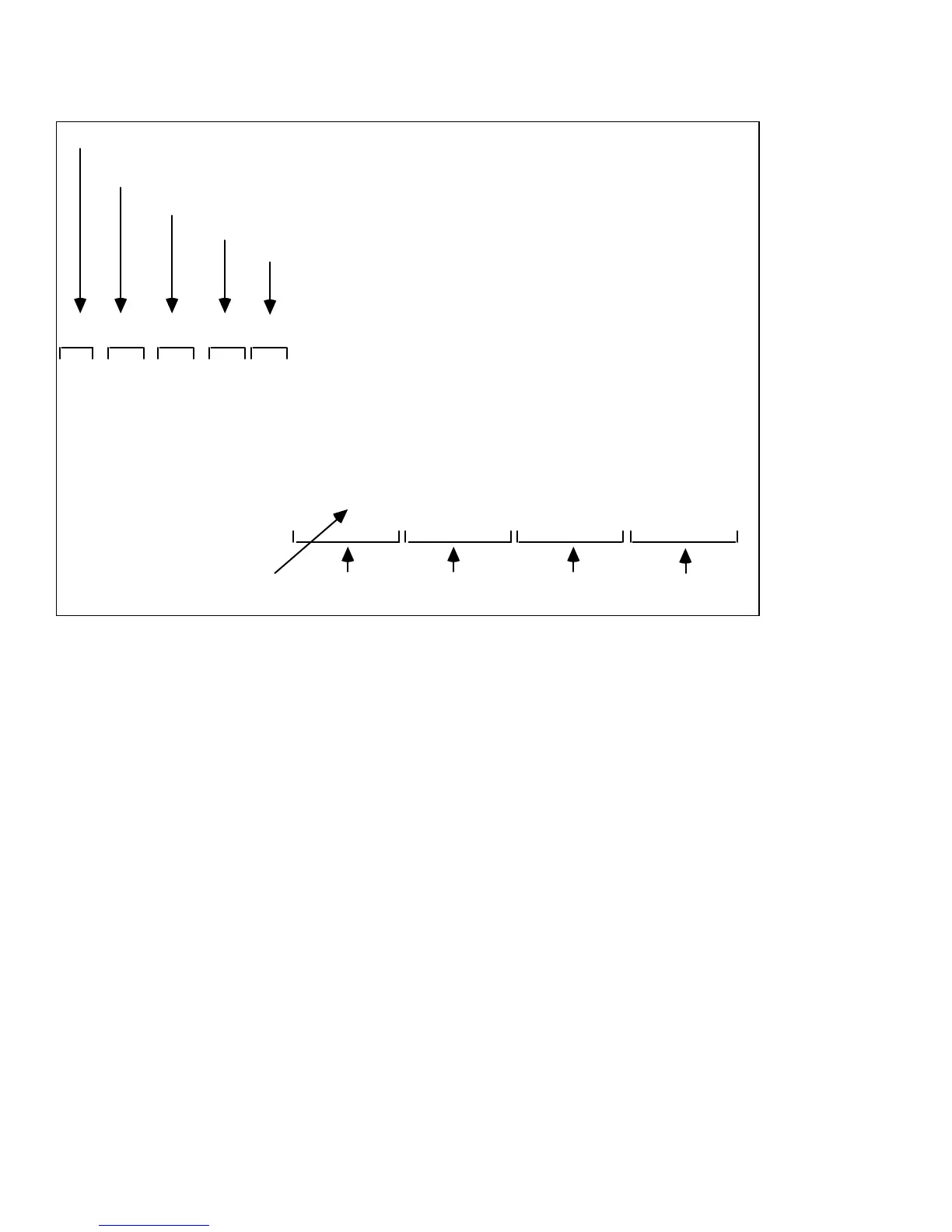
The following is a sample CMX listing.
TITLE: EDIT SUITE EXPORT OF CMX 3400A EDL
FCM: NON DROP FRAME
001 BL C 00:00:00:00 00:00:10:00 01:00:00:00 01:00:10:00
002 001 C 00:05:00:00 00:05:15:00 01:00:10:00 01:00:25:00
003 002 C 00:03:10:00 00:03:25:00 01:00:25:00 01:00:40:00
004 001 C 00:05:00:00 00:05:15:00 01:00:40:00 01:00:55:00
004 002 W001 255 00:03:10:00 00:03:25:00 01:00:55:00 01:01:10:00
005 001 C 00:05:00:00 00:05:15:00 01:01:10:00 01:01:25:00
006 001 C 00:06:00:00 00:06:15:00 01:01:25:00 01:01:40:00
007 002 C 00:03:30:00 00:04:00:00 01:01:40:00 01:02:10:00
GPI GPI-T PULSE 001 RI +00:00:15:00
008 002 AA/V C 00:21:20:00 00:21:40:00 01:15:00:00 01:15:20:00
EDIT SUITE STOP TILE
CMX EVENT#
VCR (001=A, 002=B, 003=C, 004=D) or
Color (BL=Black, AX=Other Color)
Insert Type (AA=Audio, V=Video)
Transition Type (C=Cut, D=Dissolve, Wnnn=Wipe+Wipe#)
Transition Duration (Frames: Max=255)
GPI (always Relative In)
CMX Notes:
1. The CMX event numbers are sequential beginning with 001—regardless of the EDL event
numbers.
2. Sources are shown as 001 - 004 in CMX and A - D in Edit Suite.
3. An A/B Roll is shown as two lines in the CMX report, and both lines use the same event
number (whereas Edit Suite uses two numbers).
4. There are three types of transitions in the CMX output: Dissolves, Cuts, and Wipes. Wipes are
followed by a three-digit number. This is not the MX-1 transition number.
5. If an AXA Roll is in the EDL, the transition is ignored in CMX.
6. If an A/B/A or A/B/C Roll is in the EDL, the "B" scene will be divided into two events in the
CMX export.
7. All GPI events are converted to Relative In for the CMX export.
8. If a Source event is the "A" source in an A/B Roll, its duration will display as 0.
9. Edit Suite does not store record deck times (except for insert events). For the CMX report, the
record times begin at 01:00:00:00 and show the running time for the production.



 To Next Page