Visit our website at www.VideoSecu.com © 2016 VideoSecu.com
5
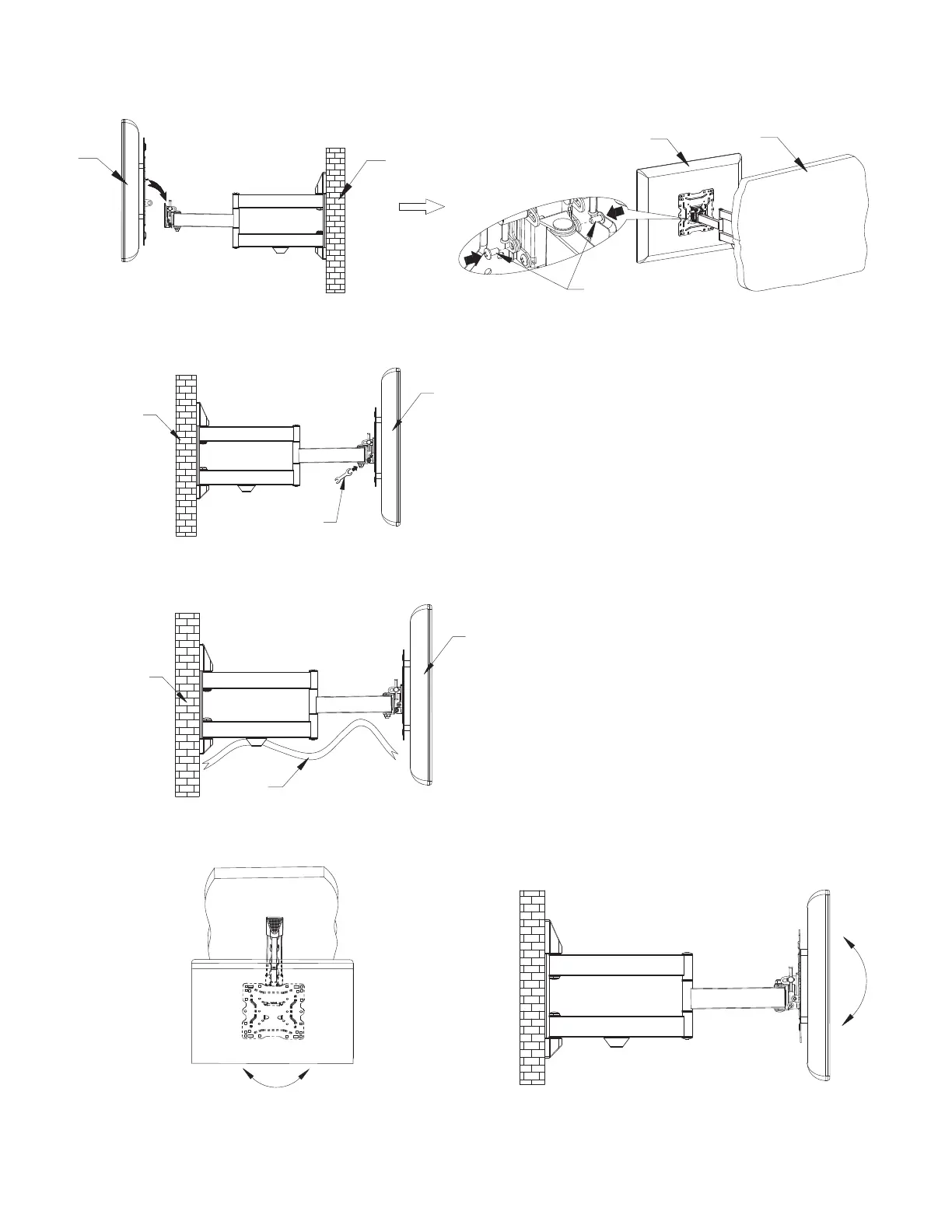
Step 8. Adjusting the TV display
The TV or monitor can be adjusted to desire location by tilt and swivel the bracket.
8-1.
Spanner S=13
Cable
TV
This mount includes a cable management feature.
8-2.
WALL
Step 7. Hang the TV to the Wall Plate
Hang TV onto wall bracket, and then fix the lock nut tightly.
TV
WALL
Screws
TV
WALL
TV
WALL
±5°
Tilt Angle: +5° -15°
Pivot: +5°
-5°
Tension is pre-set at the factory. Some time you may loosen arm adjustment bolts to adjust tension.
Tighten the bolts after moving the TV to desired location.
8-3.
+5°
-15°
~
~


 To Next Page