7
4.1. Starting up
NOTE Before connecting to the mains, make sure the condensate drain line runs to a
oor drain.
1. Connect the plug to the supply socket.
The compressor and fans start operating.
2. Wait for 90 minutes or until the desired temperature is reached.
The cabinet is now ready to be lled.
4.2. Loading cabinet
• Position the products carefully.
• Do not exceed the load limit. The maximum load on the shelves is 100 kg
per metre.
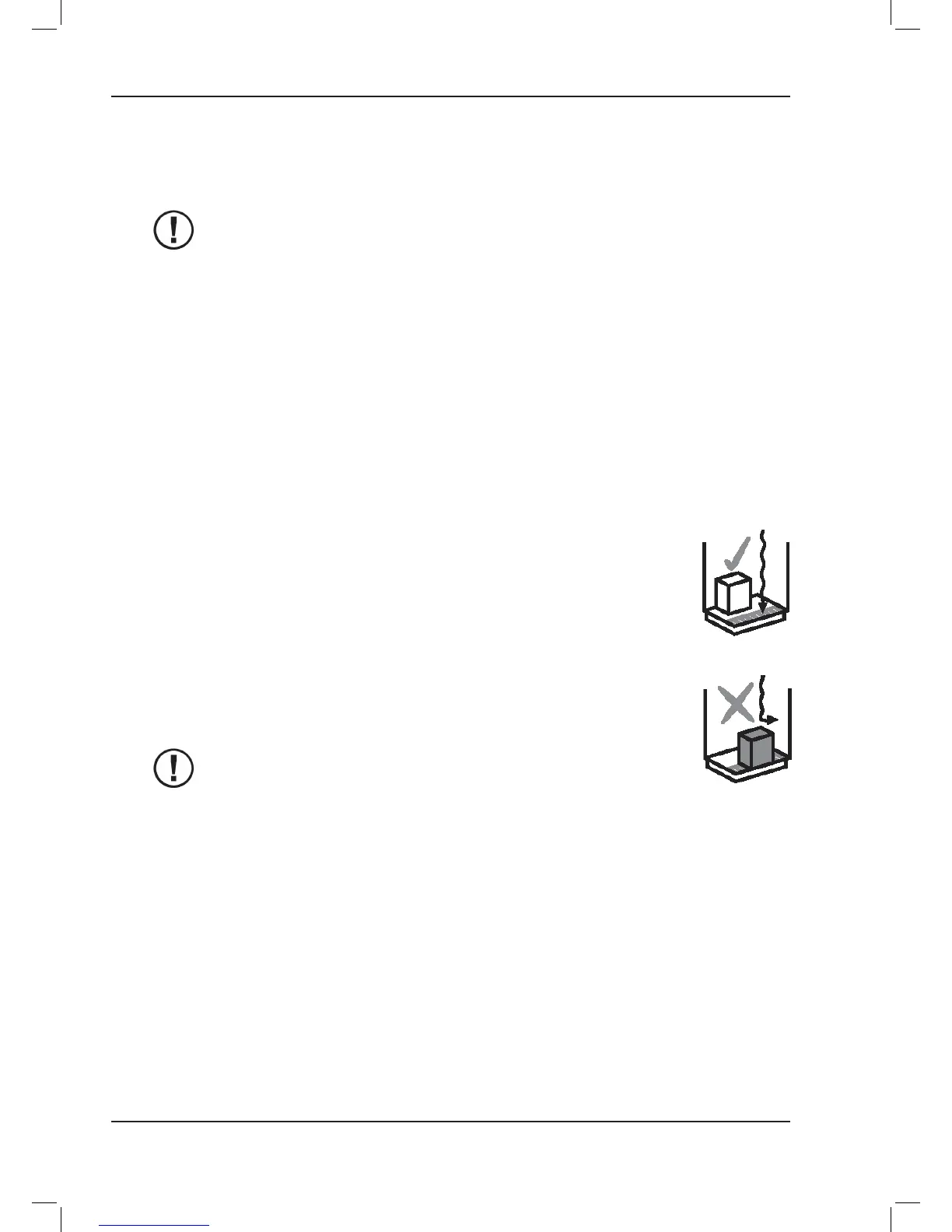
• Do not place products so that they protrude over the front edge of the
shelf or obstruct the inlet grid.
An unobstructed space of at least 20 mm must be left between the
shelves and the top plate of the cabinet. Products must not be placed
in front of the inlet and outlet grids and must not protrude over the front
edges of the shelves. Improper loading of the cabinet will disrupt the air
ow and raise the temperature of products in the cabinet.
See gures 2 and 3 on the inside cover.
• Do not place goods on top of the cabinet.
NOTE
The cabinet is not designed to cool down products but to
maintain them at the temperature at which they are placed in the
cabinet. Food products warmer than the specied temperature
should not be placed in the cabinet.
4.3. Setting operating thermostat
The operating thermostat for the cabinet is located in the terminal box inside the machinery
compartments. The lid to the machinery compartment is xed with a spring. The thermostat is
preset to the correct temperature at the factory.



 To Next Page
 Loading...