13
Programming the Water Softener
LOW SALT ALARM
Use this feature to program when the electronic control
will display a low salt alarm. The number of days can
be customized, or the feature can be turned off. The
default is 20 days.
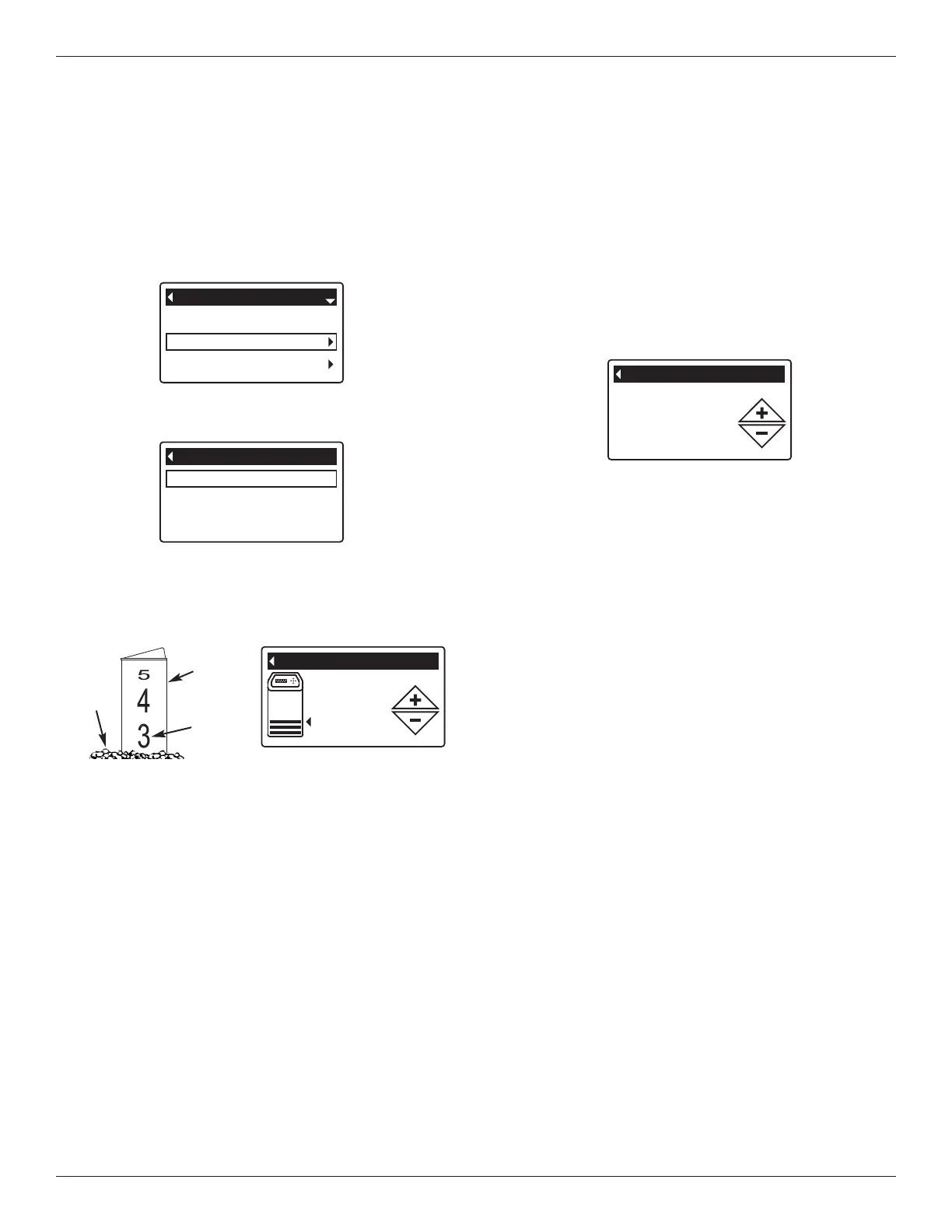
1-3. Go to the Salt settings menu by following Steps 1-
3 in “Setting Salt Level” at left.
4. Press the DOWN q button to scroll through the
menu options until Low salt alarm is highlighted.
5. Press the OK / MENU button to display the Low salt
alarm screen (See Figure 32).
FIG. 31
20 days before
empty
Low salt alarm
FIG. 32
SETTING SALT LEVEL
Use this feature when adding salt to the softener.
1. From any of the rolling status screens, press the OK /
MENU button to display the Main menu.
2. Press the DOWN q button to scroll through the
menu options until Salt settings is highlighted (See
Figure 29).
6. After adding and leveling salt, observe the numbered
scale on the brinewell (See Figure 31). Press UP p
or DOWN q to change the salt level to match the
lowest number visible above the salt.
7. Press the OK / MENU button. The display will go
back to the Salt settings menu (Figure 30).
8. Press the LEFT t button twice to return to the rolling
status screens. It will also exit automatically if no
buttons are pressed for four minutes.
3. Press the OK / MENU button to display the Salt set-
tings menu (See Figure 30).
Recharge
Salt settings
Basic settings
Main menu
FIG. 29
Salt level
Low salt alarm
Salt settings
FIG. 30
4. Make sure Salt level is highlighted.
5. Press the OK / MENU button to display the Salt level
screen (See Figure 31). This screen will not auto-
matically exit for 15 minutes.
6. Press the UP p or DOWN q buttons to change the
number of days. Set the number of days to provide
enough time to purchase salt and avoid running into
hard water. Setting the number of days below 1
turns the alarm feature off.
7. Press the OK / MENU button. The display will go
back to the Salt settings menu.
8. Press the LEFT t button twice to return to the
rolling status screens.
Salt
Level
Brine-
well
Num -
bers



 To Next Page