15
Programming the Water Softener
SETTING RECHARGE TIME
When the softener’s electronic control is first powered
up, the default time for starting an automatic recharge is
02:00. This is a good time in most households because
water is not being used. To change this time:
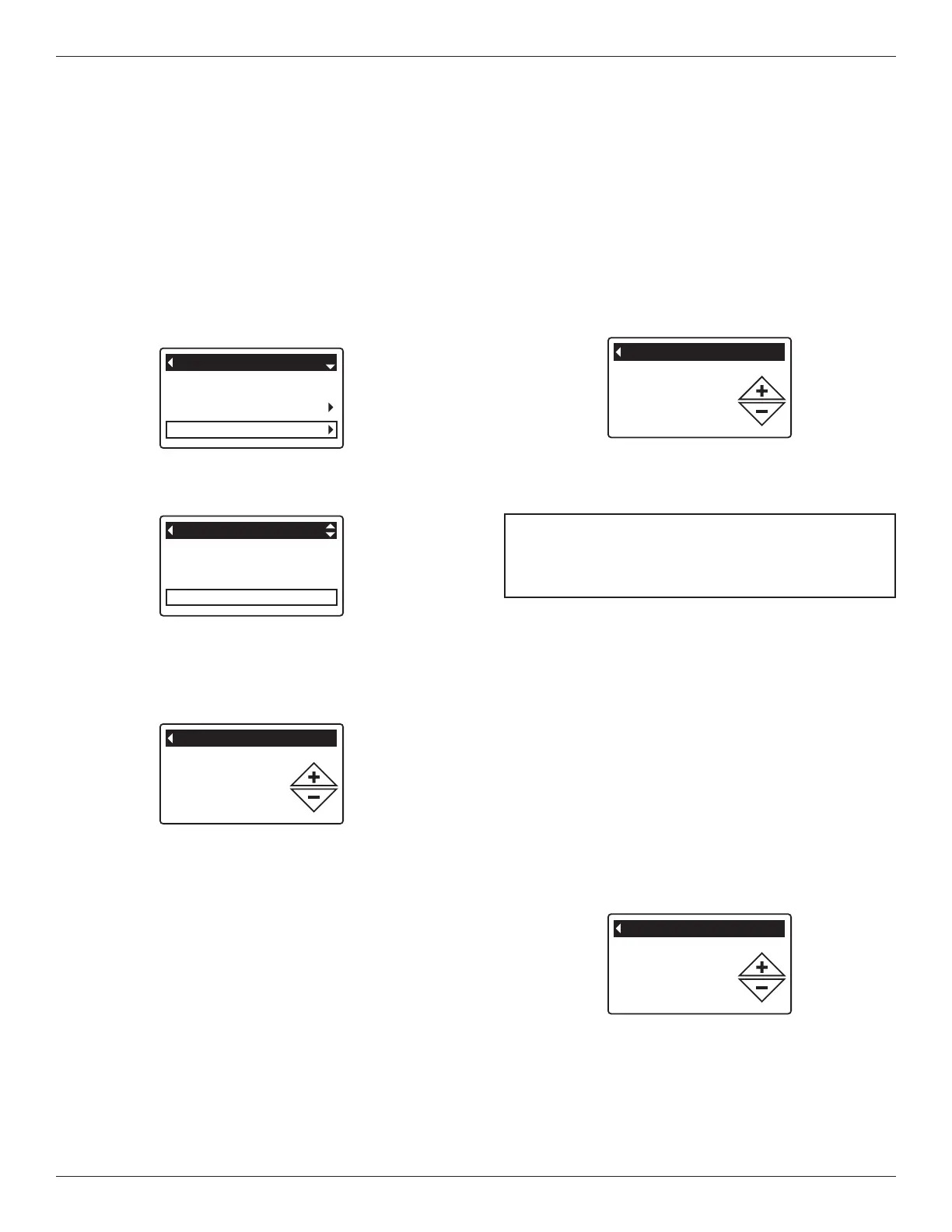
1. From any of the rolling status screens, press the OK /
MENU button to display the Main menu.
2. Press the DOWN q button to scroll through the
menu options until Basic settings is highlighted
(See Figure 39).
Hardness
Iron level
Recharge time
Basic settings
FIG. 40
3. Press the OK / MENU button to display the Basic set-
tings menu (See Figure 40).
FIG. 41
Recharge
Salt settings
Basic settings
Main menu
FIG. 39
4. Press the DOWN q button to scroll through the
menu options until Recharge time is highlighted.
5. Press the OK / MENU button to display the Recharge
time screen (See Figure 41).
6. Press the UP p or DOWN q buttons to change the
recharge time in 1 hour increments. Hold the button
down to rapidly advance. Be sure that AM or PM is
correct (unless softener is set for a 24-hour clock).
7. Press the OK / MENU button. The display will go
back to the Basic settings menu (Figure 40).
8. Press the LEFT t button twice to return to the rolling
status screens.
FIG. 43
6. Press the UP p or DOWN q buttons to set the value
for iron in your water. Hold the button down to rapid-
ly advance.
7. Press the OK / MENU button. The display will go
back to the Basic settings menu.
8. Press the LEFT t button twice to return to the rolling
status screens.
SETTING HARDNESS
When the softener’s electronic control is first powered
up, a “wizard” screen prompts you to enter your water’s
hardness (See Page 10). To change it:
1-3. Go to the Basic settings menu by following Steps
1-3 in “Setting Recharge Time” at left.
4. Press the DOWN q button to scroll through the
menu options until Hardness is highlighted.
5. Press the OK / MENU button to display the Hardness
screen (See Figure 42).
FIG. 42
NOTE: Do not increase the hardness setting to
compensate for iron in your water. The
electronic control compensates automatically
after you set the iron level, below.
6. Press the UP p or DOWN q buttons to set the value
for your water’s hardness. Hold the button down to
rapidly advance.
7. Press the OK / MENU button. The display will go
back to the Basic settings menu.
8. Press the LEFT t button twice to return to the rolling
status screens.
SETTING IRON LEVEL
When the softener’s electronic control is first powered
up, a “wizard” screen prompts you to enter your water’s
iron level (See Page 10). To change:
1-3. Go to the Basic settings menu by following Steps
1-3 in “Setting Recharge Time” at left.
4. Press the DOWN q button to scroll through the
menu options until Iron level is highlighted.
5. Press the OK / MENU button to display the Iron level
screen (See Figure 43).
1 grain = 1°dH
10 ppm = 1°f



 To Next Page