1
2
3
1
2
3
-9-
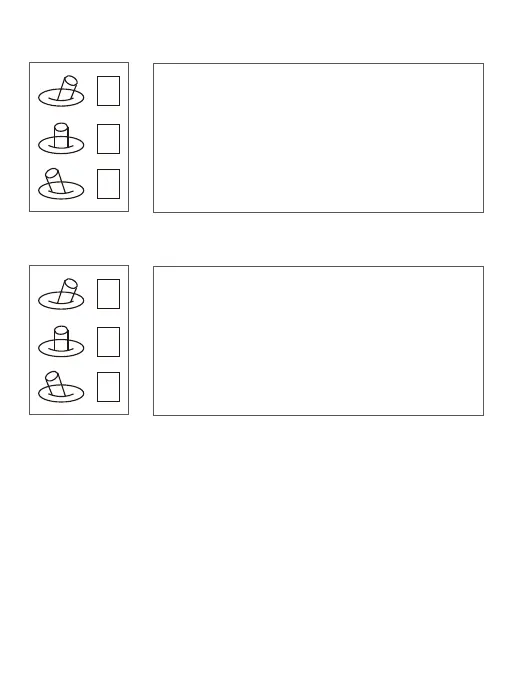
AV: NO AV output this model.
Pic/ Rec picture / Start record, stop record
Multi: Tracking control
1 Switch 2 to 1: Start record / stop record. Start
record, the OSD display rec hh:mm:ss ;
2 Stop record, the OSD display STBY.
3 Switch 2 to 3: Take a picture. OSD display ’REC
IMG’ a second.
1: Position 1 exit the tracking
Switch 1 to 2: display the cross cursor. Adjust the
object to the cross cursor.
2: Switch 2 to 3: start tracking. Change the object
during tracking.


 To Next Page