EasyManua.ls Logo

ViewSonic N2010 - User Manual

ViewSonic N2010
26 pages
Print Icon
To Next Page IconTo Next Page
Loading...
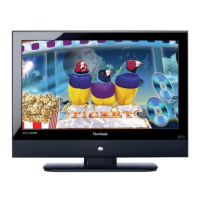
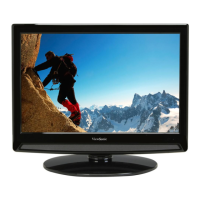
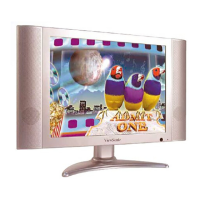
N2010 LCDTV Display
Users Guide
Guide de Iutilisateur
Guía de usuario
使用手冊

Other manuals for ViewSonic N2010

Questions and Answers

  • B
    Brian MarshallAug 9, 2025
    How to troubleshoot no power on ViewSonic N2010 LCD TV?
    • C
      Curtis StoneAug 9, 2025
      First, ensure the power button (or switch) is turned ON and the A/C power cord is securely connected to your ViewSonic LCD TV. To verify the outlet is supplying power, plug another electrical device, such as a radio, into the same outlet.
  • J
    James MorrisAug 14, 2025
    What to do if there is no sound on ViewSonic LCD TV?
    • C
      Crystal EvansAug 14, 2025
      First, check your audio connection according to your video source. Ensure that the mute function is off by pressing the Mute button, so that ‘Mute’ disappears from the screen. Verify your MTS settings, as your TV MTS may be set to SAP. Increase the volume by pressing the Volume + key on your remote controller. Also, check that “Audio out” is not enabled for sound output from an external amplifier.
  • A
    Anna CastanedaAug 18, 2025
    What to do if ViewSonic N2010 power is on but no screen image?
    • R
      Richard BaileyAug 19, 2025
      Ensure the video cable is tightly secured to both the video output port on the back of your video source and the LCD display. Adjust the brightness and contrast settings. Also, check the source settings on your ViewSonic LCD TV.
  • C
    Christine ThomasAug 25, 2025
    Why doesn't the remote control work on my ViewSonic N2010 LCD TV?
    • H
      Heather JonesAug 25, 2025
      Ensure that the batteries are correctly inserted into the remote control. Also, check if the batteries are weak and replace them if necessary.
  • C
    Carol CruzAug 29, 2025
    Why are the colors wrong on my ViewSonic N2010 LCD TV?
    • K
      Kristy SimpsonAug 29, 2025
      Loose or broken pins in the cable connector could cause an improper connection resulting in wrong or abnormal colors. If any colors (red, green, or blue) are missing, check the video cable to ensure it is securely connected. You may also want to connect the ViewSonic LCD display to another video source to test.
  • S
    seanjonesSep 3, 2025
    What to do if snow appears on the screen of ViewSonic LCD TV?
    • B
      Bonnie PowellSep 3, 2025
      Check your antenna connection to ensure it is properly connected. Also, verify that the TV/CATV selection is correctly set on your ViewSonic LCD TV.

ViewSonic N2010 Specifications

General IconGeneral
BrandViewSonic
ModelN2010
CategoryLCD TV
LanguageEnglish

Related product manuals