EasyManua.ls Logo

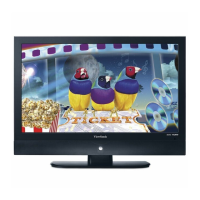
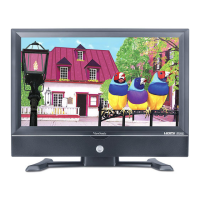
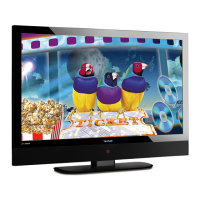
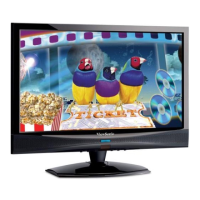
ViewSonic NX2232W - User Manual

ViewSonic NX2232W
39 pages
Print Icon
To Next Page IconTo Next Page
Loading...
ViewSonic
®
ViewSonic
®
NX2232w
LCD TV
- User Guide
- Guide de lutilisateur
- Guía del usuario
Model No. : VS11859-1M
IMPORTANT: Please read this User Guide to obtain important information on
installing and using your product in
a safe manner, as well as registering your
product
for future service. Warranty information contained in this User Guide will
describe your limited
coverage from ViewSonic Corporation, which is also found
on our web site at http://www.viewsonic.com in English, or in specif
c languages
using the Regional selection box in the upper right corner of our website
.
“Antes de operar su equipo lea cuidadosamente las instrucciones en este manual

Questions and Answers

  • K
    Katherine PittmanAug 15, 2025
    How to troubleshoot ViewSonic NX2232W with no power?
    • Y
      Yolanda MaddoxAug 15, 2025
      If your ViewSonic LCD TV has no power, ensure the power cord is properly connected to both the TV's AC power socket and the wall outlet. Also, make sure the DC power button is turned ON (Blue LED). To verify the outlet is supplying power, plug another electrical device into it.
  • A
    Anthony WardAug 18, 2025
    What to do if my ViewSonic NX2232W has no sound?
    • I
      ivincentAug 18, 2025
      If there is no sound on your ViewSonic LCD TV, first check that your audio connections are properly connected. Ensure that the MUTE button has not been pressed. Also, verify your audio settings to ensure the TV audio is not set to minimum. Finally, try pressing the Volume + (Up) button on the remote control.
  • K
    Kathryn OdonnellAug 22, 2025
    Why is there no picture on my ViewSonic LCD TV?
    • C
      Cheryl AllenAug 22, 2025
      If your ViewSonic LCD TV shows no picture, the TV station might be experiencing problems, so try another channel. If you're using Cable TV, the signal may be scrambled or encoded, so contact your local cable operator. Also, ensure that all connections to other components are correct and that setup has been done correctly after connections. Finally, verify the correct input is selected and the input signal is compatible.
  • G
    gonzalezjoshuaAug 25, 2025
    What to do if the ViewSonic NX2232W LCD TV remote control is not working?
    • E
      Elizabeth BrownAug 26, 2025
      If the remote control unit does not operate your ViewSonic LCD TV, first ensure that the batteries are inserted correctly. If not, replace them with new batteries. Check if a fluorescent light is illuminated near the remote control sensor. Also, ensure that the path of the remote control beam is not blocked and that the remote control is aimed at the remote control sensor on the TV. Try pressing the POWER button or the MENU button on the remote control to see if the TV responds. Make sure to press only one button at a time and that it is the correct one for the operation you want to perform.
  • W
    wallacebrianAug 28, 2025
    Why does my ViewSonic NX2232W LCD TV have strange colors?
    • R
      Randy RushAug 28, 2025
      If your ViewSonic LCD TV displays strange color, light color, or color misalignment, first ensure that the video cable is securely connected. Be aware that the picture may appear dim in a brightly lit room. Try adjusting the brightness, contrast, saturation (color), and tint. Also, check the input signal setting.
  • D
    deborah51Aug 31, 2025
    How to fix ViewSonic NX2232W that cannot be operated?
    • N
      Nicholas FletcherAug 31, 2025
      If your ViewSonic LCD TV unit cannot be operated, it may be due to external influences such as lightning or static electricity. In this case, operate the unit after first turning on the power of the LCD TV and the AVC System, or unplug the AC cord for 1 to 2 minutes, then replug it again.
  • B
    Breanna StanleySep 4, 2025
    Why does my ViewSonic NX2232W power cut off suddenly?
    • M
      Monica DanielsSep 4, 2025
      If the power is cut off suddenly on your ViewSonic LCD TV, check if the sleep timer is set in advance. Also, check if there is no signal in PC mode or HDMI mode. If the internal temperature of the unit has increased, remove any objects blocking the vent or clean as necessary.
  • J
    Jessica McgeeSep 7, 2025
    How to fix ViewSonic LCD TV with no CATV reception?
    • S
      Sarah LesterSep 7, 2025
      If you experience no CATV reception (or no reception above CH13) on your ViewSonic LCD TV, check if the AIR/CABLE option is set correctly to CABLE. Also, ensure that the CATV is connected properly or connected at all. If the issue persists, the cable TV service may be interrupted, so contact your cable operator.
  • C
    Christopher PhamSep 12, 2025
    Why is the picture cut off on my ViewSonic NX2232W?
    • E
      Emily FoxSep 12, 2025
      If the picture is cut off or displayed with a sidebar screen on your ViewSonic LCD TV, check if the image is positioned correctly. Also, ensure that screen mode adjustments such as picture size are set correctly. Try pressing the WIDE button repeatedly on the remote control to see if you can get the picture you prefer.

ViewSonic NX2232W Specifications

General IconGeneral
Screen Size22 inches
Resolution1680 x 1050
Display TypeLCD
Aspect Ratio16:10
Brightness300 cd/m²
Contrast Ratio1000:1
Response Time5 ms
Speakers2 x 3W
HDMI Ports1
InputsComponent, Composite
VESA Mount CompatibleYes, 100 x 100 mm
Viewing Angle160° horizontal, 160° vertical

Related product manuals