E
N
G
L
I
S
H
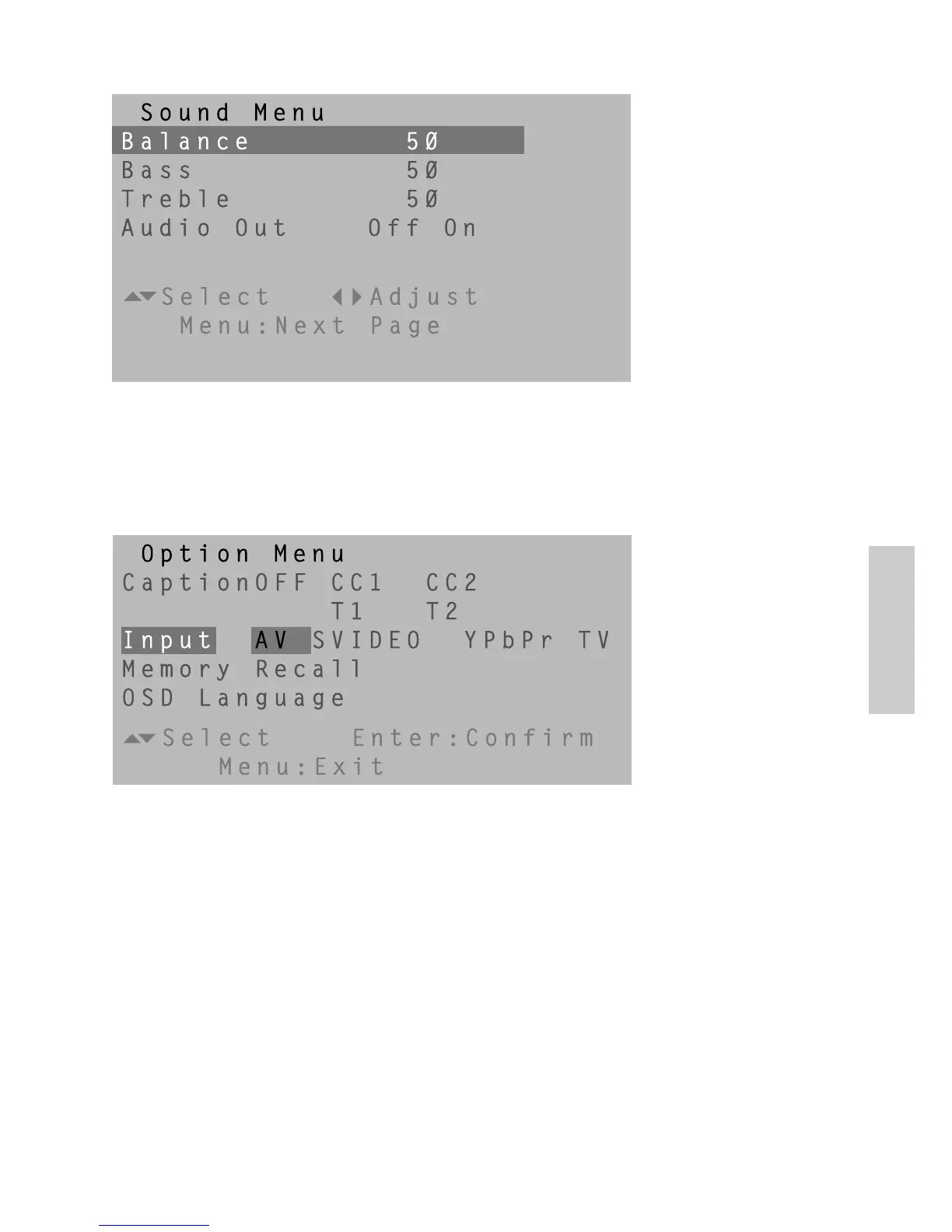
Caption: To turn Closed Caption feature on/off, or select the desired type of
closed caption.
Input: To choose a desired input source among AV, S-Video, YPbPr and TV.
Memory Recall: Recall factory pre-sets.
OSD Language: To select OSD language (English, French, or Spanish).
Option Menu
Sound Menu
Balance: To adjust the left and right audio balance.
Bass: To adjust the audio bass.
Treble: To adjust the audio treble.
Audio Out: To adjust the Audio Out Off/On.
ViewSonic N2010 19









 To Next Page