2
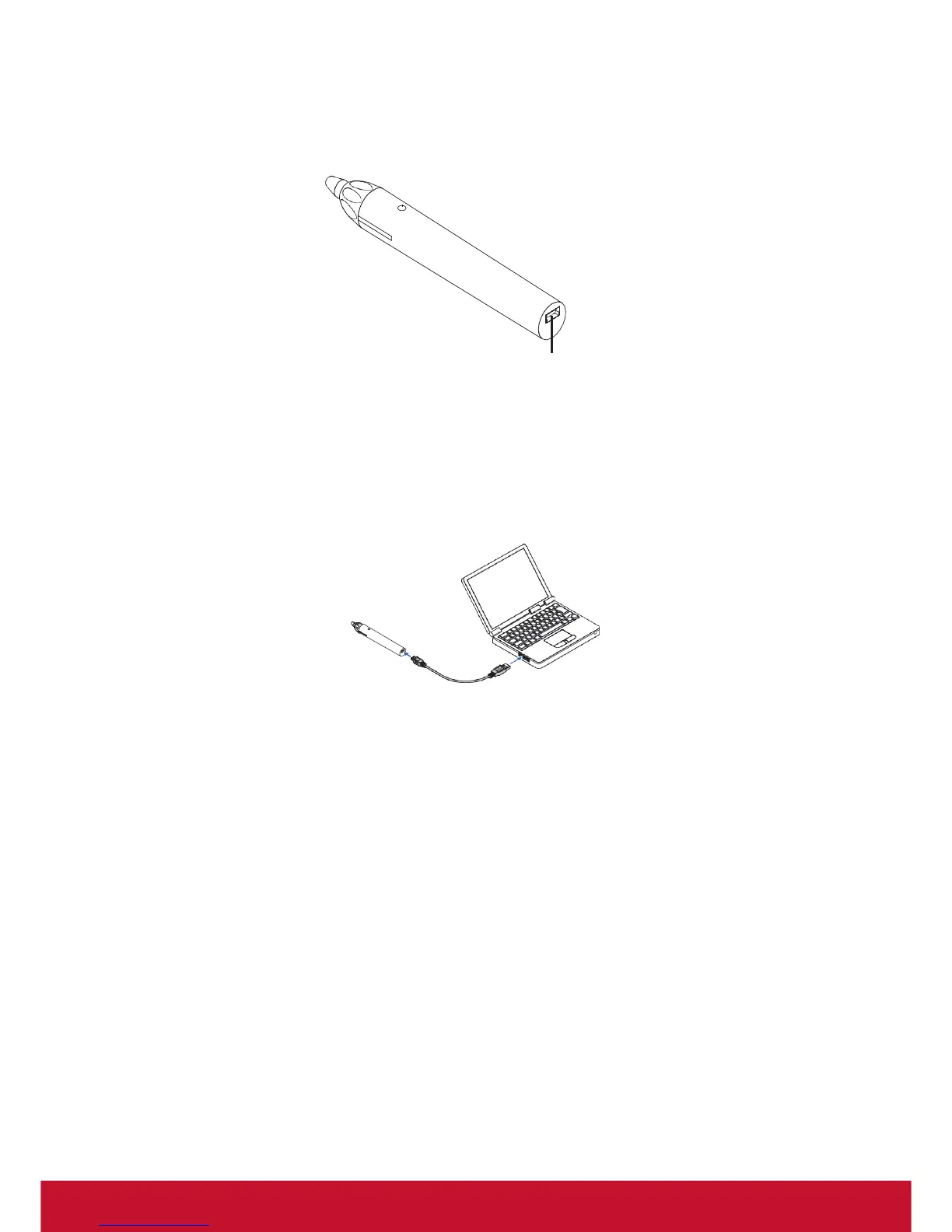
Part names of the supplied stylus pen
Tip
LED indicator
Charging jack (Mini USB)
Charging Stylus
Please use the Stylus charging cable and connect the charging jack of Stylus to
a USB port on a computer and Stylus will start charging; it takes approximately 3
minutes to charge Stylus.
• Press the tip of Stylus and the LED indicator will turn red. This means that Stylus
charging is completed. When the LED indicator on Stylus does not light up,
please follow the steps described above to charge Stylus again.
Notes for using Stylus
• Please do not use Stylus improperly, including dropping, banging or
disassembling Stylus.
• If Stylus comes in contact with water or any other type of liquid, please wipe it dry
immediately and keep it dry.
• Avoid high temperature and humidity.



 To Next Page
 Loading...