EasyManua.ls Logo

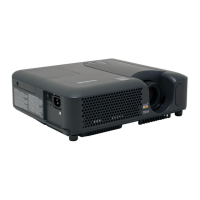
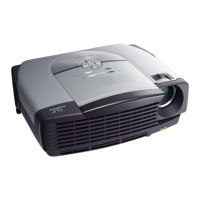
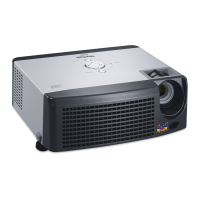
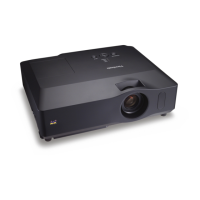
ViewSonic PJ760 - User Manual

ViewSonic PJ760
70 pages
Print Icon
To Next Page IconTo Next Page
Loading...
ViewSonic
®
PJ758/PJ759/PJ760
LCD Projector
- User Guide
- Guide de l’utilisateur
- Bedienungsanleitung
- Guía del usuario
- Guida dell’utente
- Guia do usuário
- Användarhandbok
- Käyttöopas
- Руководство пользователя
- 使用手冊 (繁體)
- 使用手冊 (簡體)
- 사용자 안내서
Model No. : VS11862/VS11861/VS11822

Table of Contents

Questions and Answers

  • B
    brennanrichardAug 16, 2025
    What to do if my ViewSonic PJ760 Projector power does not come on?
    • T
      Travis MartinAug 16, 2025
      If your ViewSonic Projector doesn't power on, check the following: 1. Ensure the power cord is correctly plugged in. 2. If there was a power interruption, disconnect the power plug, let the projector cool down for at least 10 minutes, and then try again. 3. Make sure the lamp and lamp cover are properly installed. If not, turn off the projector, disconnect it, allow it to cool for at least 45 minutes, confirm the lamp and lamp cover are correctly attached, and then try turning it on again.
  • P
    Patricia HouseAug 18, 2025
    How to fix dark pictures on ViewSonic Projector?
    • L
      Leslie KlineAug 19, 2025
      If the pictures on your ViewSonic Projector appear dark, try the following: 1. Adjust the BRIGHTNESS and/or CONTRAST settings to a higher level using the menu function. 2. If the WHISPER function is enabled, select NORMAL for the WHISPER item in the SETUP menu. 3. If the lamp is old, consider replacing it.
  • S
    Scott TaylorAug 22, 2025
    How to fix blurry pictures on ViewSonic Projector?
    • D
      Diana MurrayAug 22, 2025
      If the pictures on your ViewSonic Projector appear blurry: 1. Adjust the focus using the focus ring and/or adjust H PHASE using the menu function. 2. If the lens is dirty or misty, clean it.
  • D
    Dustin Chang DDSAug 25, 2025
    What to do if my ViewSonic PJ760 shows no pictures?
    • J
      jerrymclaughlinAug 26, 2025
      If your ViewSonic Projector displays no pictures, check the following: 1. Make sure the lens cover is removed. 2. Ensure the signal cables are correctly connected.
  • G
    Gloria SolomonAug 28, 2025
    Why does my ViewSonic PJ760 say 'CHECK THE AIR FLOW'?
    • J
      Joshua MurrayAug 28, 2025
      The 'CHECK THE AIR FLOW' message on your ViewSonic Projector indicates that the internal temperature is rising. Turn off the projector and let it cool down for at least 20 minutes. Then, check if the air passage is blocked, the air filter is dirty, or the surrounding temperature is above 35°C. After confirming these points, turn the power back on. If the message persists, set the FAN SPEED in the SERVICE menu to HIGH.
  • Z
    Zachary DelgadoAug 30, 2025
    What to do if my ViewSonic PJ760 has no sound and picture?
    • B
      bryanjimenezAug 31, 2025
      If your ViewSonic Projector is outputting neither sound nor picture, check these possible causes: 1. Ensure the signal cables are correctly connected. 2. Verify that the signal source device is correctly set up by referring to its manual. 3. Confirm that the input changeover settings are correct and select the appropriate input signal.
  • K
    Kevin MaysSep 2, 2025
    How to fix ViewSonic PJ760 Projector when no sound comes out?
    • A
      Angela AllisonSep 3, 2025
      If sound does not come out of your ViewSonic Projector, consider the following: 1. Ensure the audio cables are correctly connected. 2. Check if the MUTE function is enabled and, if so, restore the sound by pressing the MUTE or VOLUME button on the remote control. 3. Adjust the volume to a higher level using the menu function or the remote control. 4. Verify that the AUDIO/SPEAKER setting is correctly configured in the SETUP menu.
  • L
    laurenbarkerSep 6, 2025
    Why does my ViewSonic PJ760 Projector say 'REMINDER *** HRS PASSED AFTER THE LAST FILTER CHECK.'?
    • F
      fosterjenniferSep 6, 2025
      The message 'REMINDER *** HRS PASSED AFTER THE LAST FILTER CHECK' on your ViewSonic Projector means it's time to clean or change the air filter. Immediately turn off the power and clean or change the air filter. After cleaning or changing the filter, reset the filter timer.
  • S
    Sierra KennedySep 9, 2025
    How to resolve 'SYNC IS OUT OF RANGE' on ViewSonic PJ760 Projector?
    • C
      Carla MartinSep 9, 2025
      To resolve the 'SYNC IS OUT OF RANGE' error on your ViewSonic Projector, confirm the specifications for your projector or the signal source specifications.
  • A
    Ana HillSep 12, 2025
    How to fix 'NO INPUT IS DETECTED' on ViewSonic Projector?
    • M
      Mr. Terry WalkerSep 12, 2025
      To address the 'NO INPUT IS DETECTED' message on your ViewSonic Projector, confirm the signal input connection and the status of the signal source.

ViewSonic PJ760 Specifications

General IconGeneral
Display TechnologyDLP
Resolution1024 x 768 (XGA)
Brightness3000 ANSI Lumens
Contrast Ratio2000:1
Lamp Life (Normal)2000 hours
Lamp Life (Eco)4000 hours
Projection Size30 - 300 inches
Input ConnectorsVGA, S-Video, Composite Video

Related product manuals