EasyManua.ls Logo

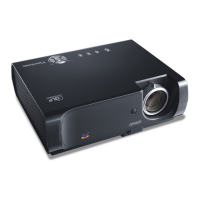
ViewSonic PJ502 - User Manual

ViewSonic PJ502
49 pages
Print Icon
To Next Page IconTo Next Page
Loading...
User Guide
Guide de l’utilisateur
Bedienungsanleitung
Guía del usuario
Guida dell’utente
Guia do usuário
Användarhandbok
Käyttöopas
Руководство пользователя
使用手冊
使用手冊
PJ502
Inage size 30"-300"
High Brightness Light Weight
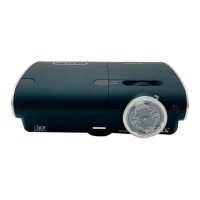
LCD Projector

Other manuals for ViewSonic PJ502

Questions and Answers

  • C
    Crystal BurkeAug 7, 2025
    Why does my ViewSonic PJ502 show no picture?
    • H
      holmeskennethAug 7, 2025
      If your ViewSonic Projector displays no pictures, first, check if the lens cover is removed. Then, ensure the signal cables are correctly connected. Finally, adjust the brightness to a higher level using the menu or remote control.
  • F
    Frederick CampbellAug 11, 2025
    Why won't my ViewSonic Projector turn on?
    • T
      Troy ReidAug 11, 2025
      If the power of your ViewSonic Projector does not come on, make sure the electrical power cord is correctly plugged in and the power switch is set to the on position [ | ]. If a power outage occurred, turn the power off and let the unit cool down for at least 20 minutes before turning it on again. Also, ensure the lamp and lamp cover are properly fixed, cooling the unit down for 45 minutes before checking.
  • K
    Kimberly VillanuevaAug 16, 2025
    How to fix dark pictures on ViewSonic PJ502 Projector?
    • R
      Roberta HoltAug 16, 2025
      If the pictures on your ViewSonic Projector appear dark, adjust the BRIGHT and/or CONTRAST settings to a higher level using the menu function. Also, you can select NORMAL to the item WHISPER in the SETUP menu. If the lamp is old, consider replacing it.
  • C
    calderoncharlesAug 19, 2025
    What to do if ViewSonic Projector pictures are blurry?
    • A
      Alexander GriffinAug 19, 2025
      If the pictures on your ViewSonic Projector appear blurry, adjust the focus using the focus ring and/or H PHASE using the menu function. If the issue persists, the lens may be dirty or misty. Clean the lens by referring to the section “Other care.”
  • J
    Jill KirkAug 25, 2025
    How to improve color quality on ViewSonic PJ502 Projector?
    • J
      janice62Aug 25, 2025
      If the colors on your ViewSonic Projector have a faded-out appearance or the color tone is poor, perform picture adjustments by changing the COLOR TINT, COLOR TEMP, and/or COLOR SPACE settings using the menu functions. Also, change the COLOR SPACE setting to AUTO, RGB, SMPTE240, REC709 or REC601.
  • J
    Jennifer LarsonAug 28, 2025
    What to do if ViewSonic PJ502 says 'CHECK THE AIR FLOW'?
    • J
      Joe CastroAug 28, 2025
      If you see a 'CHECK THE AIR FLOW' message on your ViewSonic Projector, turn the power OFF and allow the unit to cool down for at least 20 minutes. Then, check for any blockage of the air passage aperture, if the air filter is dirty, and if the peripheral temperature exceeds 35oC before turning it back ON.
  • S
    Stacey PayneSep 1, 2025
    What causes ViewSonic Projector overheating?
    • P
      Perry SmithSep 2, 2025
      If your ViewSonic Projector indicates that the interior portion has become heated, turn the power off and allow the unit to cool down for at least 20 minutes. After it has cooled, check for blockage of the air passage, a dirty air filter, and if the surrounding temperature exceeds 35oC. If the issue continues, replace the lamp by referring to the section 'Lamp'.

ViewSonic PJ502 Specifications

General IconGeneral
BrandViewSonic
ModelPJ502
CategoryProjector
LanguageEnglish

Related product manuals