EasyManua.ls Logo

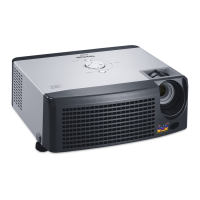
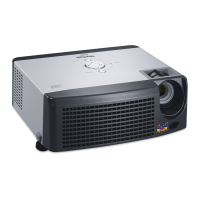
ViewSonic PJ510 - User Manual

ViewSonic PJ510
49 pages
Print Icon
To Next Page IconTo Next Page
Loading...
PJ510
User Guide

Other manuals for ViewSonic PJ510

Questions and Answers

  • T
    Trevor TurnerAug 19, 2025
    Why ViewSonic PJ510 power does not come ON?
    • P
      Patrick LewisAug 19, 2025
      The ViewSonic Projector may not power on due to several reasons: * The main power source might not be turned on. Ensure the main power is switched on. * The power cord might not be properly connected. Check and correctly connect the power cord. * There might have been a power interruption. If so, press the power OFF side of the main power switch and leave it off for at least 20 minutes.
  • A
    Alicia AllenAug 21, 2025
    What to do if ViewSonic PJ510 Projector pictures appear blurry?
    • J
      John BradyAug 21, 2025
      If the pictures on your ViewSonic Projector appear blurry, adjust the focus and the H PHASE setting.
  • J
    Jonathan HernandezAug 25, 2025
    What to do if ViewSonic PJ510 pictures appear dark?
    • C
      Claudia MooreAug 25, 2025
      If the pictures on your ViewSonic Projector appear dark, it could be due to the following reasons: * The brightness and/or contrast settings may not be properly adjusted. Try adjusting the BRIGHT and CONTRAST settings. * The WHISPER mode might be enabled. Disable the WHISPER mode. * The lamp might be nearing the end of its life. Consider replacing the lamp.
  • A
    Anita CainAug 26, 2025
    What to do if ViewSonic Projector sounds are heard, but no pictures are displayed?
    • E
      Erin DuranAug 26, 2025
      If you hear sound but see no picture on your ViewSonic Projector, check these possible causes: * Incorrect electrical wiring: Ensure all connection cables are correctly connected. * Brightness setting too low: Adjust the BRIGHT setting to a brighter level. * Lens cap still on: Remove the lens cap.
  • J
    Joshua WrightAug 28, 2025
    What to do if ViewSonic PJ510 neither sounds nor pictures are outputted?
    • A
      Amy DouglasAug 28, 2025
      If your ViewSonic Projector is not outputting sound or pictures, consider the following: * The input changeover settings might be incorrect. Select the correct input signal and adjust the settings. * There might be no signal being inputted. Ensure the connection cables are correctly connected.
  • L
    lisa53Aug 30, 2025
    What to do if ViewSonic PJ510 Projector pictures are displayed, but no sounds are heard?
    • S
      sandrewsAug 30, 2025
      If you see pictures but hear no sound from your ViewSonic Projector, check these potential issues: * Incorrect electrical wiring: Ensure all connection cables are correctly connected. * Volume set too low: Adjust the VOLUME setting to a higher level. * MUTE mode enabled: Press the MUTE button to disable the MUTE mode.
  • K
    Katherine MartinezSep 1, 2025
    Why ViewSonic PJ510 Projector shows 'CHECK THE AIR FLOW'?
    • D
      derrickreeseSep 1, 2025
      If your ViewSonic Projector displays 'CHECK THE AIR FLOW', it indicates that the internal temperature is rising. Turn the power OFF and allow the unit to cool down for approximately 20 minutes.
  • F
    Frank LeeSep 3, 2025
    What to do if ViewSonic Projector colors have a faded-out appearance?
    • M
      Mrs. Maria BergerSep 3, 2025
      If the colors on your ViewSonic Projector appear faded or the color tone is poor, adjust the picture settings by changing the COLOR BAL R, COLOR BAL G, COLOR BAL B, COLOR, and/or the TINT settings.
  • C
    Courtney DeckerSep 5, 2025
    What to do if ViewSonic Projector is lighting in green, alternative blinking in the red?
    • W
      William OneillSep 5, 2025
      If your ViewSonic Projector is lighting in green and alternatively blinking in red, ensure that you are using the unit within the specified temperature range (0°C to 35°C). After addressing this, reset the power to ON.
  • M
    Michael PetersonSep 7, 2025
    How to clean the air filter on a ViewSonic PJ510 Projector?
    • S
      Scott StoneSep 7, 2025
      To clean the air filter on your ViewSonic Projector, first turn the power off. After cleaning the filter, operate the FILTER TIME option in the OPTION Menu and reset the filter timer.

ViewSonic PJ510 Specifications

General IconGeneral
BrandViewSonic
ModelPJ510
CategoryProjector
LanguageEnglish

Related product manuals