10
Inial Setup
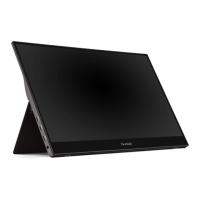
Adjusng the Stand
1. Place the monitor on a at, stable surface with the screen facing down.
2. With one hand support the monitor, then carefully li and extend the stand.
3. Li the device into its upright posion on a at, stable surface.
NOTE: Always place the device on a at, stable surface. Failure to do so may
cause the device to fall and damage the device and/or result in personal
injury.



 To Next Page