EasyManua.ls Logo

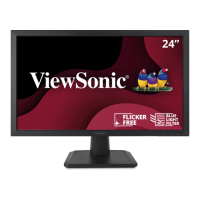
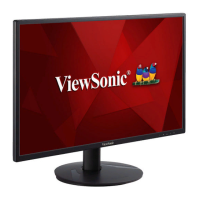
ViewSonic VA2418-sh - User Manual

ViewSonic VA2418-sh
45 pages
Print Icon
To Next Page IconTo Next Page
Loading...
VA2418-sh
Display
User Guide
Model No. VS16422
P/N: VA2418-SH
IMPORTANT: Please read this User Guide to obtain important information on installing and using your product in
a safe manner, as well as registering your product for future service. Warranty information contained in this User
Guide will describe your limited coverage from ViewSonic® Corporation, which is also found on our web site at
http://www.viewsonic.com in English, or in specific languages using the Regional selection box in the upper right
corner of our website. “Antes de operar su equipo lea cu idadosamente las instrucciones en este manual”

Other manuals for ViewSonic VA2418-sh

Questions and Answers

  • A
    Anthony StewartAug 21, 2025
    How to fix a ViewSonic VA2418-sh with no power?
    • R
      Robert FergusonAug 21, 2025
      If your ViewSonic monitor has no power, first, make sure you have turned it on using the power button. Then, check that the power cord is properly and securely connected to both the monitor and the power outlet. To ensure the outlet is supplying power, plug another electrical device into it.
  • C
    Curtis BarnesAug 23, 2025
    How to adjust screen brightness on a ViewSonic VA2418-sh Monitor?
    • M
      Mark FischerAug 23, 2025
      If your ViewSonic monitor screen image is too light or dark, adjust the brightness and contrast settings via the OSD Menu. If this doesn't solve the issue, reset the monitor to its factory settings.
  • J
    James FrenchAug 26, 2025
    Why does my ViewSonic VA2418-sh screen image cut in and out?
    • C
      connie80Aug 26, 2025
      If your ViewSonic monitor screen image cuts in and out, ensure the correct input source is selected. Inspect the video cable connector for any bent or broken pins. Also, make sure the video cable is securely connected to both the monitor and the computer.
  • E
    Edward MitchellAug 27, 2025
    Why does my ViewSonic monitor show wrong colors?
    • D
      David EllisonAug 28, 2025
      If your ViewSonic monitor displays wrong or abnormal colors, check the video cable to ensure it's properly and securely connected, especially if any colors like red, green, or blue are missing. A loose or broken pin in the cable connector could cause an improper connection. Try connecting the monitor to another computer to see if the issue persists. If you have an older graphics card, contact ViewSonic for a non-DDC adapter.
  • N
    nicole36Aug 30, 2025
    How to fix a blurred screen image on a ViewSonic VA2418-sh Monitor?
    • E
      erica44Aug 30, 2025
      If the screen image on your ViewSonic monitor is blurred, adjust the resolution to the correct Aspect Ratio. If the problem continues, reset the monitor to its factory settings.
  • D
    Deborah HebertSep 1, 2025
    What to do if external device connected to ViewSonic VA2418-sh Monitor has no image?
    • V
      Vincent BarrSep 1, 2025
      If the external device is connected to your ViewSonic monitor, but no image appears on the screen, first, ensure that the power is on. Adjust the brightness and contrast via the OSD Menu. Check the connecting cable to make sure it is properly and securely connected. Loose or broken pins in the cable connector could cause an improper connection.
  • T
    tanya01Sep 3, 2025
    What to do if ViewSonic monitor control panel keys do not work?
    • K
      Krista RiveraSep 3, 2025
      If the control panel keys on your ViewSonic monitor do not work, try pressing only one key at a time. If the issue persists, restart your computer.
  • R
    Ronald PhillipsSep 5, 2025
    What to do if the OSD Menu on ViewSonic VA2418-sh Monitor does not appear?
    • W
      William CarlsonSep 5, 2025
      If the OSD Menu does not appear on your ViewSonic monitor or the OSD controls are inaccessible, check if the OSD Menu is locked. If it is, press and hold the 3 and 5 keys for 10 seconds. If that doesn't work, turn off the monitor, unplug the power cord, plug it back in, and then turn the monitor back on. As a last resort, reset the monitor to its factory settings.
  • N
    nguyendanielleSep 7, 2025
    Why does my ViewSonic VA2418-sh Monitor screen appear yellow?
    • A
      Andrea LangSep 7, 2025
      If the screen on your ViewSonic monitor appears yellow, make sure the “Blue Light Filter” is turned Off.
  • T
    Taylor MooreSep 9, 2025
    Why are some OSD menus not selectable on my ViewSonic VA2418-sh Monitor?
    • D
      Diana WatkinsSep 9, 2025
      If some menus aren’t selectable in the OSD on your ViewSonic monitor, try adjusting the ViewMode or the input source. If the issue persists, reset the monitor to its factory settings.

Summary

Safety Precautions

Introduction

Package Contents

Lists items included in the monitor package.

Initial Setup

Installing the Stand

Instructions for attaching the monitor stand.

Wall Mounting

Guide for mounting the monitor on a wall.

Using the Security Slot

How to use a security slot to prevent theft.

Making Connections

Connecting to Power

Steps to connect the monitor to a power source.

Connecting External Devices

Guide for connecting video sources like HDMI and VGA.

Using the Monitor

Adjusting the Viewing Angle

Instructions for tilting the monitor for optimal viewing.

Turning the Device On;Off

How to power the monitor on and off.

Using the Control Panel Keys

Explains the function of the monitor's control buttons.

On-Screen Display (OSD) Menu

OSD Menu Tree

Overview of the monitor's On-Screen Display menu options.

Appendix

Specifications

Detailed technical specifications of the monitor.

Glossary

Definitions of terms used in the user guide.

Troubleshooting

Common issues and their solutions for the monitor.

Maintenance

Guidelines for cleaning and maintaining the monitor.

Regulatory and Service Information

Compliance Information

General compliance information for the device.

FCC Compliance Statement

FCC regulations and compliance for the monitor.

Declaration of RoHS2 Compliance

Information on hazardous substances compliance.

Product Disposal at End of Product Life

Guidance on how to dispose of the product responsibly.

Copyright Information

Copyright notices and trademarks for ViewSonic.

Customer Service

Contact details for technical support and service.

Limited Warranty

Explains the warranty coverage and terms.

Mexico Limited Warranty

Specific warranty terms for Mexico.

ViewSonic VA2418-sh Specifications

General IconGeneral
Color depth8 bit
Pixel pitch0.272 x 0.272 mm
Screen shapeFlat
Display surfaceMatt
Display diagonal23.8 \
Surface hardness3H
Display technologyLED
Native aspect ratio16:9
Maximum refresh rate75 Hz
NTSC coverage (typical)72 %
Viewable size, vertical297 mm
sRGB coverage (typical)104 %
Contrast ratio (dynamic)50000000:1
Display number of colors16.7 million colors
Viewable size, horizontal527 mm
Digital vertical frequency48 - 75 Hz
Digital horizontal frequency24 - 86 kHz
Display brightness (typical)250 cd/m²
HDMIYes
HDMI version1.4
DisplayPorts quantity0
Headphone connectivity3.5 mm
Tilt angle range-5 - 22 °
Cable lock slot typeKensington
Number of OSD languages12
Panel mounting interface100 x 100 mm
AC input voltage100 - 240 V
AC input frequency50 - 60 Hz
Power consumption (standby)0.3 W
Power consumption (typical)26 W
Compatible operating systemsWindows 10, macOS
Operating temperature (T-T)0 - 40 °C
Operating relative humidity (H-H)20 - 90 %
CertificationcTUVus, FCC-B, ICES003, CEC, MX-CoC, Mexico Energy, CE, CE EMC, CB, RoHS, ErP, REACH, WEEE, EAC, UkrSEPRO, BSMI, KC, e-Standby, BIS
Product colorBlack
Country of originChina
Cables includedAC, VGA
Package typeBox
Package depth119 mm
Package width398 mm
Package height615 mm
Package weight4600 g
Harmonized System (HS) code85285210
Weight and Dimensions IconWeight and Dimensions
Depth (with stand)218 mm
Width (with stand)548 mm
Height (with stand)404 mm
Weight (with stand)3600 g
Depth (without stand)38 mm
Height (without stand)322 mm
Weight (without stand)3100 g

Related product manuals