14
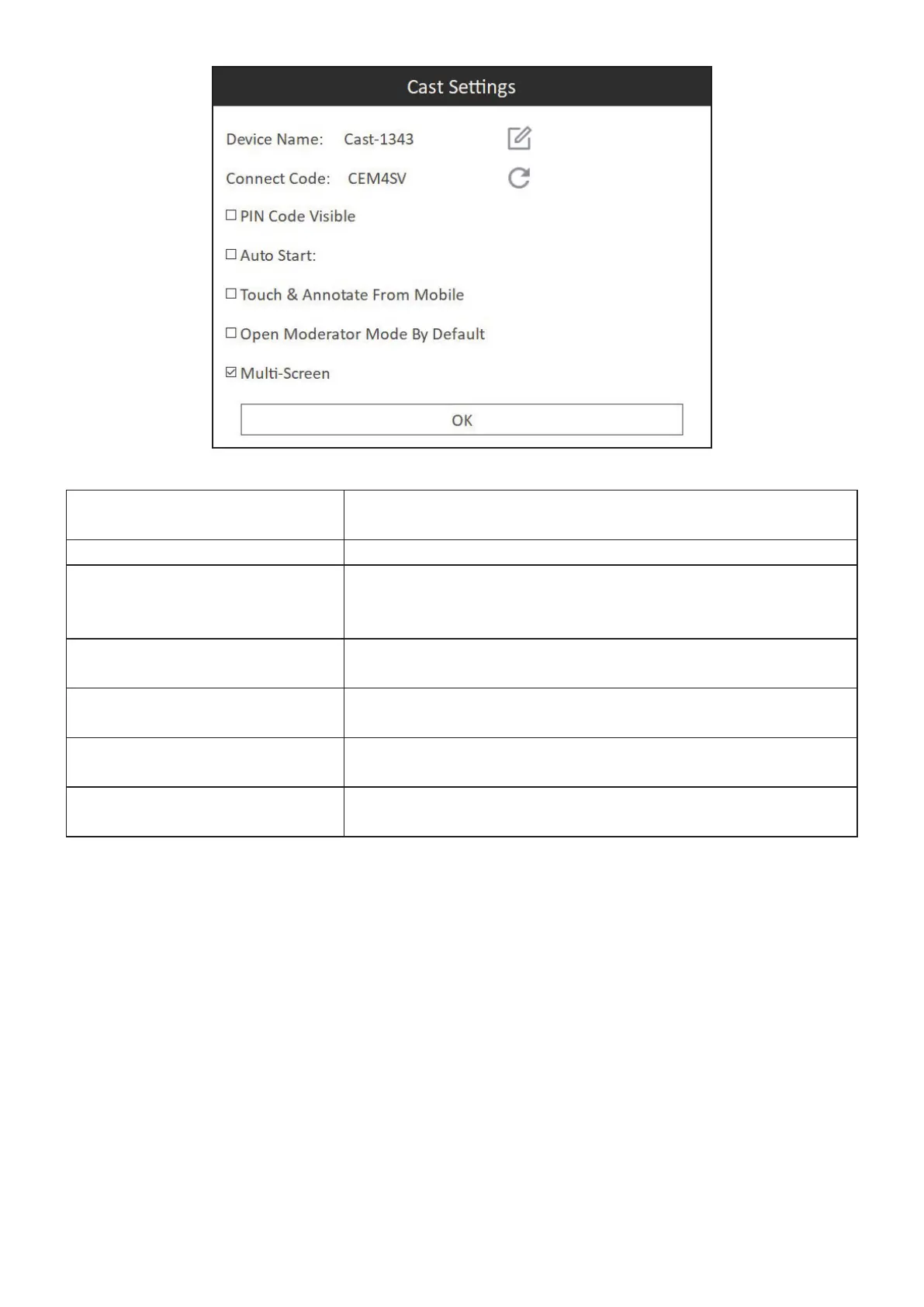
Device name Allows users to set their preferred device name so it is easy
to idenfy.
Connect Code Click the refresh icon to generate a new random code.
PIN Code Visible Toggle between showing the ViewBoard® Cast connecon
PIN-code in the upper right side of the windows screen for
easy log-in or hide it.
Auto Start ViewBoard® Cast will start automacally when you start your
Windows PC.
Touch & Annotate From Mobile Enable/disable the touch and annotate funcons for mobile
devices for easier screen management.
Open Moderator Mode by
Default
Allows users to have moderator mode open by default.
Mul-Screen Mulple users can wirelessly present to ViewBoard® Cast
simultaneously.
NOTE:
• The current presenter can touch each split ViewBoard® screen to remotely
control casng devices.
• The number of mul-screen presenters on-screen depends on your
Windows CPU processor performance and router specs.


 To Next Page