15
Display Group sengs for one to many
casng
Display Group sengs
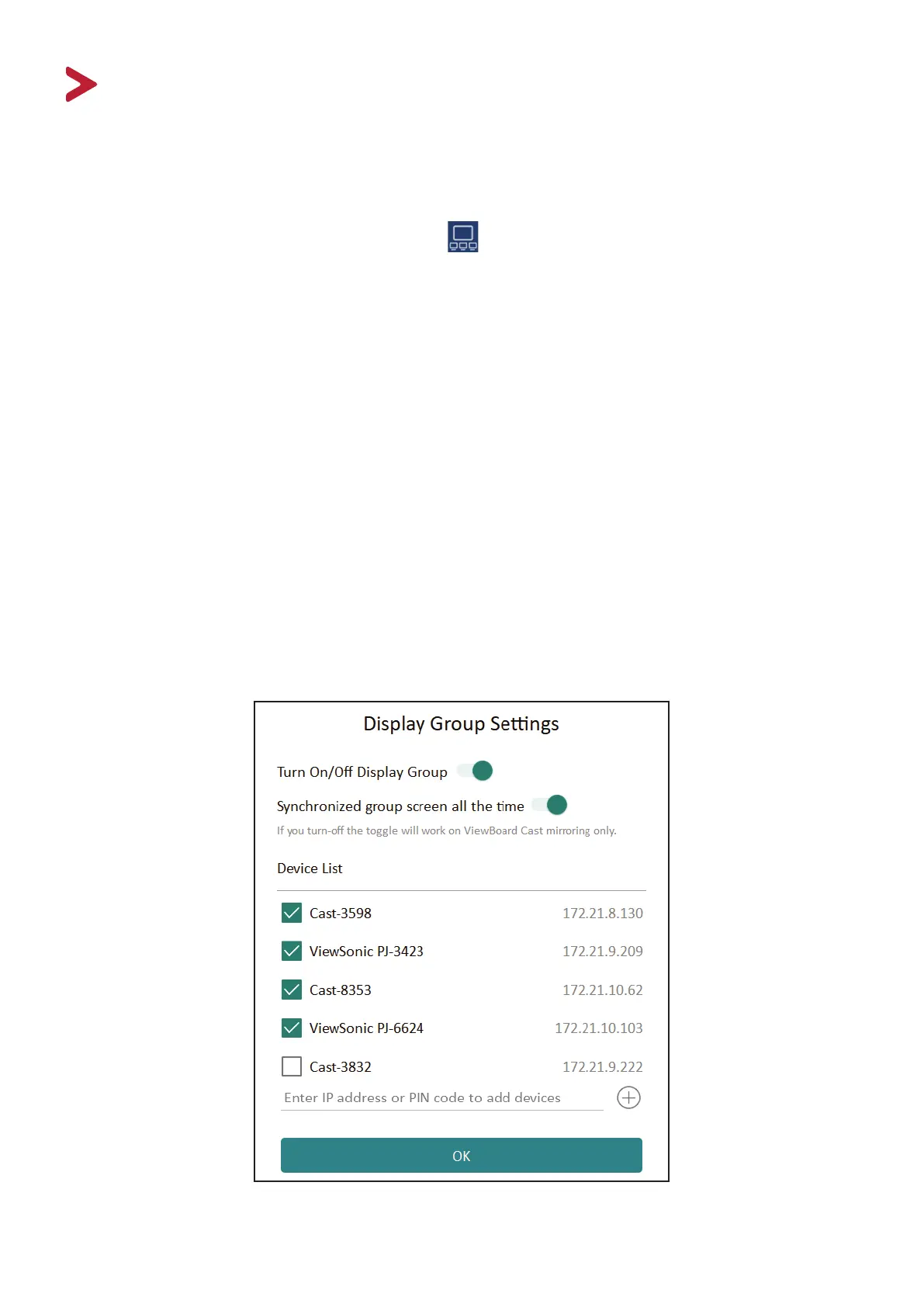
1. Click the Display Group Sengs icon ( ) on the home screen and turn on the
display group feature. Other preinstalled ViewBoard Cast devices in the same
network will be listed.
2. Next, select the devices you want to join in the display group and click “OK” to
save the sengs.
NOTE: If the devices you wish to group are not listed, you can enter their
respecve IP address or connecng PIN code.
3. Toggle the advanced feature, “Synchronized group screen all the me”, On or O.
If On, it will display a synchronized group screen connuously. If you toggle it O,
it will work on ViewBoard Cast mirroring only.
NOTE:
• The Display Group limit is a maximum of 4 devices.
• Please select the correct devices to group rst, then turn on the
“Synchronized group screen all the me” funcon to avoid interrupon.



 To Next Page