8
Starng ViewBoard® Cast on a client device.
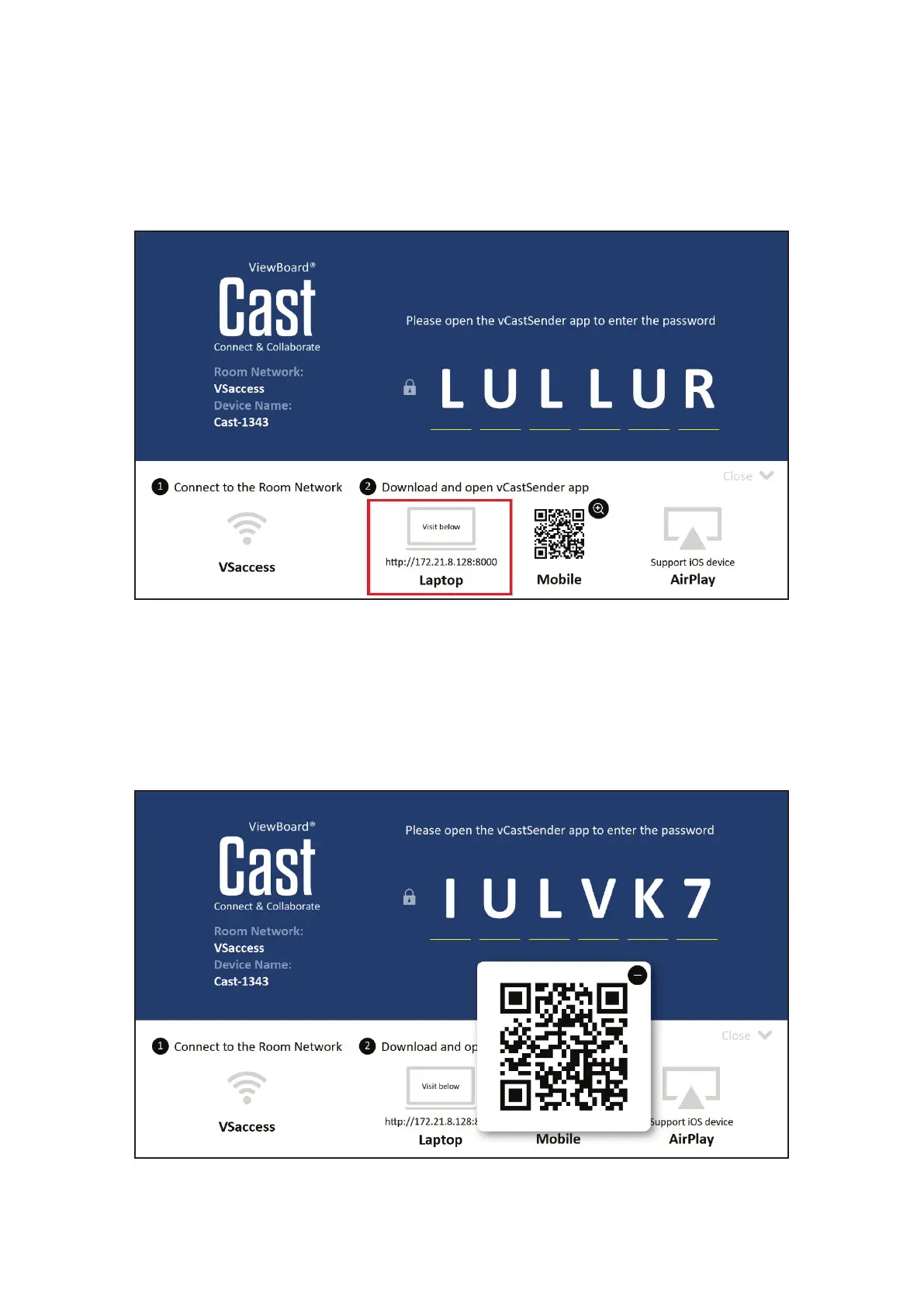
1. To start a ViewBoard® Cast, rst search for the vCastSender applicaon and
ensure the client device is connected to the same ViewBoard® Cast room
network server.
2. PC client devices (Windows/Mac/Chrome) should visit the address displayed in a
browser; phone/tablet devices (Android/iOS) should use the QR code to scan and
download the app directly from the server or from Google Play Store for Android
devices, Apple Store for iOS devices, or Chrome Web Store for Chromebook
devices.


 To Next Page