18
Item Descripon
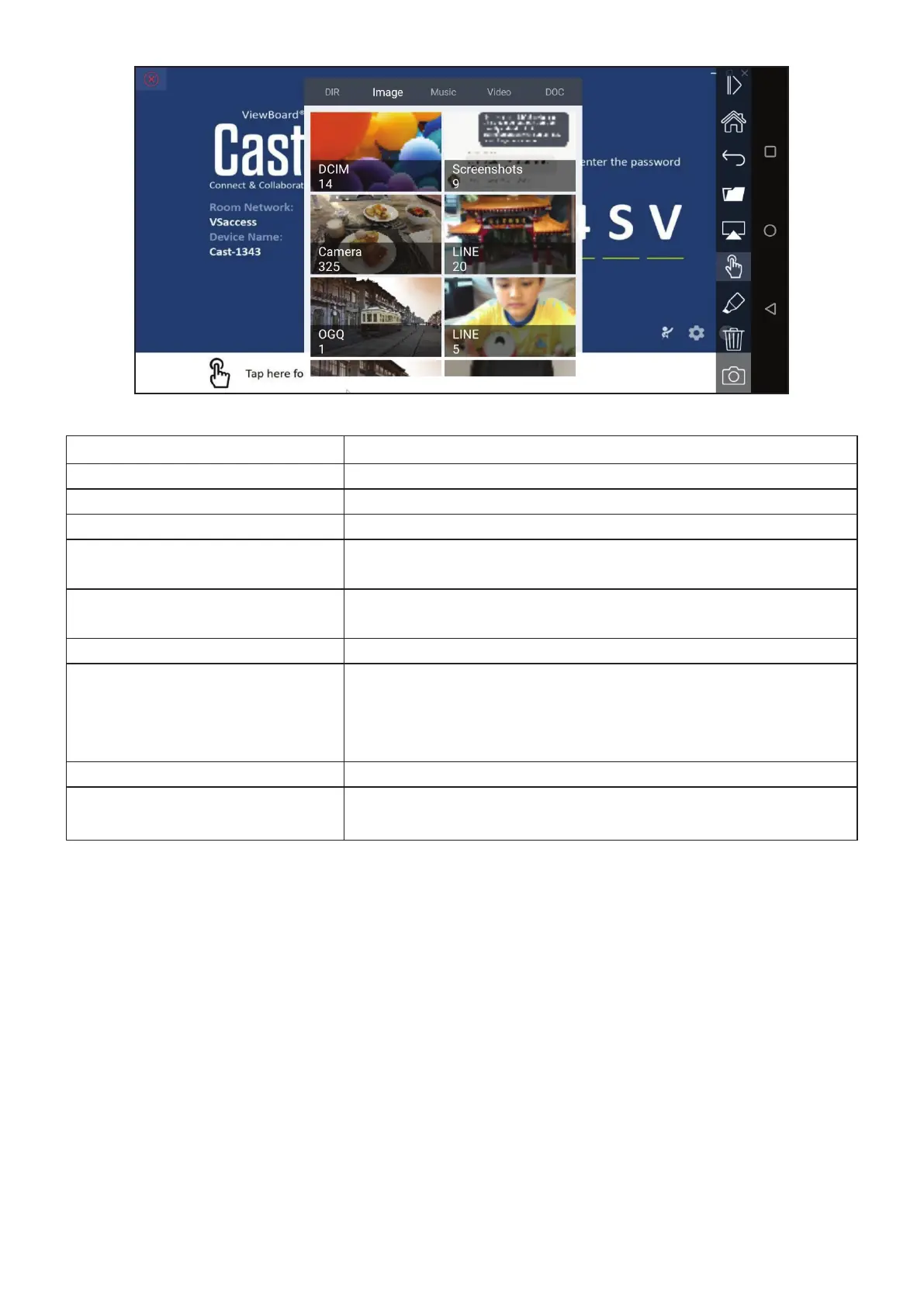
Toggle Click to hide or display the tool bar.
Home Go to the Windows home page.
Return Return to the previous operaon interface.
Folder View or open mobile device les including images, music,
video and documents.
Share Share your screen onto the connected ViewBoard® or
display.
Touch Touch to remotely control the ViewBoard® or display.
Annotaon Annotaon is used to quickly highlight and point out specic
items or secons on a displayed screen.
You can switch between pen colors by selecng your
preferred color.
Clear Click to clear everything on the screen.
Camera Can be used to send camera images to the ViewBoard® or
display.


 To Next Page