EasyManua.ls Logo

ViewSonic VP2468a - User Manual

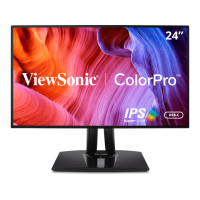
ViewSonic VP2468a
76 pages
Print Icon
To Next Page IconTo Next Page
Loading...
VP2468a
Display
User Guide
Model No.VS16475
P/N: VP2468a
IMPORTANT: Please read this User Guide to obtain important information on installing and using your product in
a safe manner, as well as registering your product for future service. Warranty information contained in this User
Guide will describe your limited coverage from ViewSonic® Corporation, which is also found on our web site at
http://www.viewsonic.com in English, or in specific languages using the Regional selection box in the upper right
corner of our website. “Antes de operar su equipo lea cu idadosamente las instrucciones en este manual”
TM

Questions and Answers

  • M
    Melinda CastanedaSep 9, 2025
    Why USB devices connected to ViewSonic Monitor do not work?
    • D
      Derrick ThomasSep 10, 2025
      Make sure the USB cable is properly connected to your ViewSonic Monitor. Try changing to another USB port, if available. Note that some USB devices require a higher electric current, so try connecting the device directly to the computer.
  • L
    Lisa DownsSep 12, 2025
    Why some menus aren’t selectable in the OSD on ViewSonic VP2468a?
    • T
      tallenSep 12, 2025
      Adjust the ViewMode or the input source on your ViewSonic Monitor. If that doesn't work, reset the monitor to factory settings.
  • A
    Angel SmithSep 14, 2025
    Why does the screen appear yellow on ViewSonic Monitor?
    • R
      Raymond SandersSep 14, 2025
      Make sure the “Blue Light Filter” is Off on your ViewSonic Monitor.
  • M
    matthewjonesSep 16, 2025
    What to do if control panel keys do not work on ViewSonic Monitor?
    • M
      Megan GutierrezSep 16, 2025
      Press only one key at a time on your ViewSonic Monitor. If the keys still do not work, restart the computer.

Summary

Safety Precautions

General Safety Guidelines

Essential rules for safe handling and operation of the device.

Installation and Connectivity

Initial Setup Procedures

Instructions for stand installation, wall mounting, and security slot.

Connecting Your Monitor

Steps to connect power, video (HDMI, DP, USB-C), USB devices, and Ethernet.

Monitor Usage and Settings

Adjusting Display and Viewing Options

How to adjust viewing angles, brightness, color, and navigate OSD menus.

Advanced Features Explained

Exploring Auto Pivot, Colorbration+, Color Blindness Mode, and firmware updates.

Troubleshooting and Support

Resolving Common Monitor Problems

Solutions for issues like no power, image problems, and connectivity errors.

Warranty and Service Information

Details on warranty coverage, exclusions, and customer service contacts.

ViewSonic VP2468a Specifications

General IconGeneral
Colorblack
Screen Typeled
Tiltableyes
Wall Mount100mm x 100mm
Touch Screenno
Webcamno
OS Compatibilitymac, windows
Screen Size24 inches
Panel Typeips
Aspect Ratio16:9
Resolution1920 x 1080
Native Resolution1920 x 1080
Refresh Rate60hz
Horizontal Viewing Angle178 degrees
Vertical Viewing Angle178 degrees
Response Time5 milliseconds
Brightness250 candela per square meter
Contrast Ratio1000:1
Synchronizationnot applicable
Horizontal Scan Rate90 kilohertz
HDRno
Built-In Speakersno
HDMI Ports1
USB Type B Ports1
Display Port Inputs1
Headphones Outputyes
Interface Connectors1 x displayport 1.2
USB Ports4 x usb-a 3.0
Mini Display Port1
Power Consumption25 watts
Power Saving Mode0.5 watts
Depth with Stand8.5 inches
Height with Stand16.6 inches
Width with Stand21.2 inches
Depth without Stand1.9 inches
Height without Stand12.2 inches
Net Weight without Stand12.5 pounds
Voice Assistantno

Related product manuals