14
2-4. Quick Installation
Connect Video Cable
1. Make sure both the LCD monitor and computer are turned OFF.
2. Remove rear panel covers if necessary.
3. Connect the video cable from the LCD monitor to the computer.
Macintosh users: Models older than G3 require a Macintosh
adapter. Attach the adapter to the computer and plug the video
cable into the adapter.
To order a ViewSonic
®
Macintosh adapter, contact ViewSonic
Customer Support.
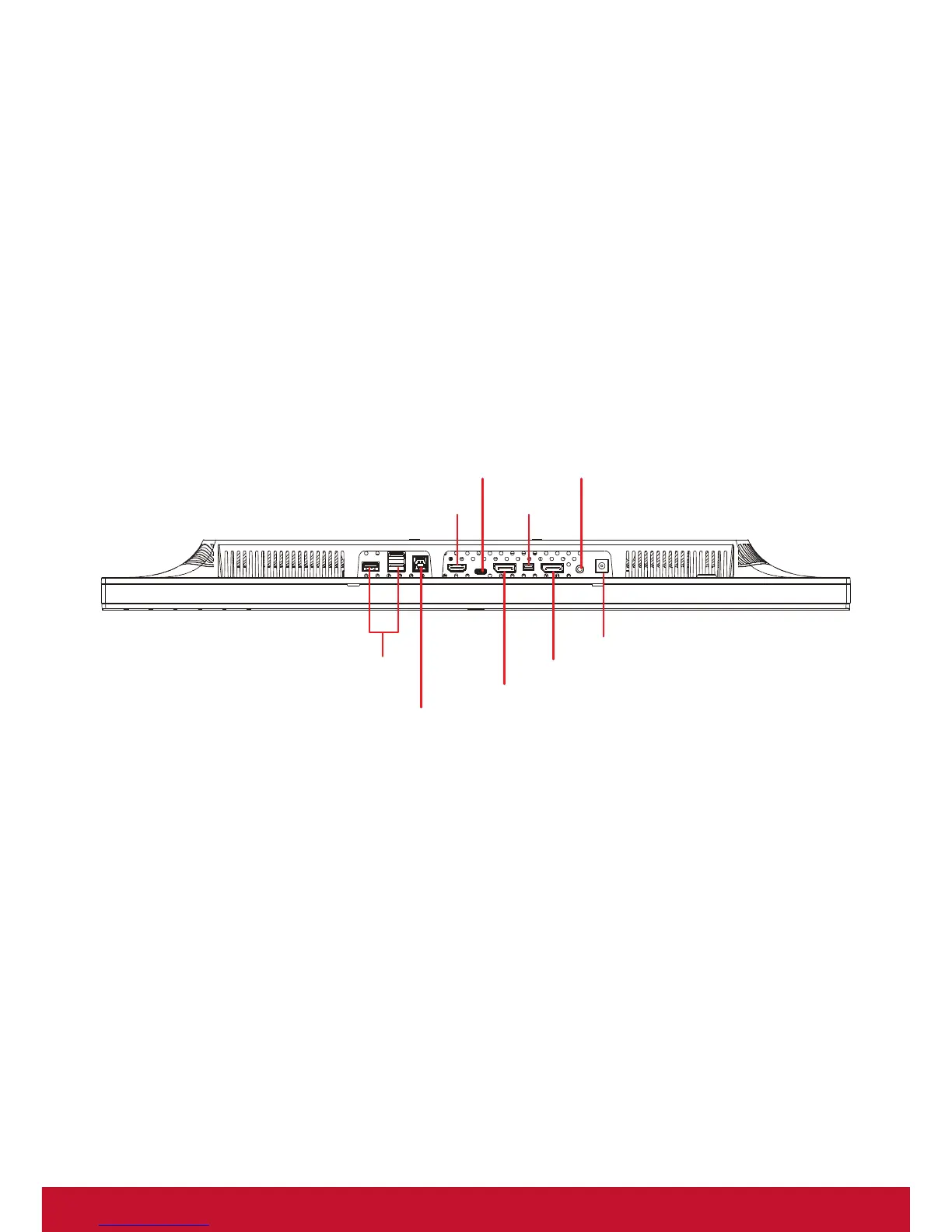
HDMI
DisplayPort
DisplayPort out
USB Type B
USB Type A
USB Type C
mini DP
Audio out
Power Connector



 To Next Page