50
4-3. Advanced Settings Explanation
These settings have been explained in the OSD menu section
above. Their functional use and instructions on setup are below.
1. Mult-Picture
Activate your OSD menu
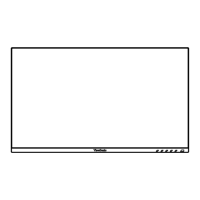
Step 1: press the ‘1’ on your ViewSonic Monitor bezel, to open the
OSD (on screen display)
Step 2: Use the arrows to select the ‘Setup menu’ feature
Step 3: Use the arrow (buttons) to select the ‘Multi-Picture’ feature
Step 4: Next choose from the ‘Multi-Picture’ options-
PBP Left-Right
PIP
Step 5: After choosing your ‘Multi-Picture’ option, repeat steps 1
through 3 to go back to the ‘Multi-Picture’ options screen.
Step 6: Select the ‘Source Select’ option
Step 7: Choose the source you would like to display based on the
chosen ‘Multi-Picture’ option



 To Next Page