EasyManua.ls Logo

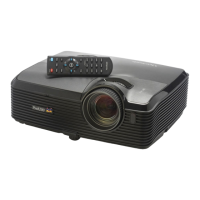
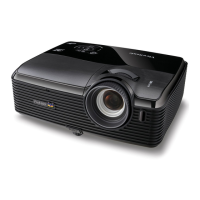
ViewSonic VS13339VS13340 - User Manual

ViewSonic VS13339VS13340
95 pages
Print Icon
To Next Page IconTo Next Page
Loading...
ViewSonic
®
Model No. : VS13339
VS13340
PJD7383/ PJD7383i
PJD7583w/PJD7583wi
DLP Projector
- User Guide
- Guide de l’utilisateur
- Bedienungsanleitung
- Guía del usuario
- Guida dell’utente
- Guia do usuário
- Användarhandbok
- Käyttöopas
- Podręcznik użytkownika
- Pyководство пользователя
- Kullanιcι kιlavuzu
- 使用手冊(繁中)
- 使用手册 (简体)
- 사용자 안내서
IMPORTANT: Please read this User Guide to obtain important
information on installing and using your product in a safe
manner, as well as registering your product for future service.
Warranty information contained in this User Guide will describe
your limited coverage from ViewSonic Corporation, which is
also found on our web site at http://www.viewsonic.com in
English, or in specic languages using the Regional selection
box in the upper right corner of our website.
“Antes de operar su equipo lea cuidadosamente las
instrucciones en este manual”
Downloaded From projector-manual.com Viewsonic Manuals

Table of Contents

Questions and Answers

  • C
    charlesperezAug 12, 2025
    How to fix ViewSonic VS13339VS13340 that does not turn on?
    • A
      Ashley StanleyAug 12, 2025
      If your ViewSonic Projector is not turning on, first ensure the power cord is securely plugged into both the projector's AC inlet and a functioning power outlet, and that the outlet switch is on, if applicable. Also, if the projector was recently turned off, it may be in a cooling process. Wait for this process to complete before attempting to turn it on again.
  • O
    omorrisAug 20, 2025
    What to do if ViewSonic VS13339VS13340 Projector remote control does not work?
    • M
      Mr. Kyle Dillon Jr.Aug 20, 2025
      If the remote control isn't working with your ViewSonic Projector, try these steps: 1. Replace the battery with a new one. 2. Make sure there's nothing blocking the path between the remote and the projector. 3. Ensure you are within 8 meters (26 feet) of the projector.
  • B
    Brenda TurnerAug 27, 2025
    Why is there no picture on my ViewSonic VS13339VS13340?
    • W
      William FloresAug 27, 2025
      If you're not seeing a picture on your ViewSonic Projector, there are several things to check: * Ensure that your video source is turned on and correctly connected. * Verify the projector is properly connected to the input signal device. * Select the correct input signal using the SOURCE key on the projector or remote. * Make sure the lens cover is open.
  • J
    Jose HughesSep 4, 2025
    How to fix a blurred image on a ViewSonic Projector?
    • B
      bradleybookerSep 4, 2025
      If the image from your ViewSonic Projector is blurred, try the following: * Adjust the focus of the lens using the focus ring. * Adjust the projection angle, direction, and height of the projector to properly align it with the screen. * Ensure the lens cover is open.

ViewSonic VS13339VS13340 Specifications

General IconGeneral
Display TypeDLP
Throw Ratio1.55-1.73:1
Weight2.2 kg
Contrast Ratio22000:1
Projection Size30 - 300 in.
Input ConnectorsHDMI, VGA

Related product manuals