EasyManua.ls Logo

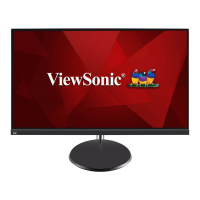
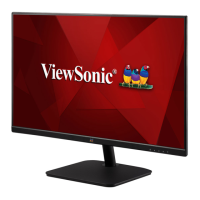
ViewSonic VS17789 - User Manual

ViewSonic VS17789
47 pages
Print Icon
To Next Page IconTo Next Page
Loading...
VA2432-mh/-mhd
Display
User Guide
Model No. VS17789
P/N: VA2432-MH/VA2432-MHD
IMPORTANT: Please read this User Guide to obtain important information on installing and using your product in
a safe manner, as well as registering your product for future service. Warranty information contained in this User
Guide will describe your limited coverage from ViewSonic® Corporation, which is also found on our web site at
http://www.viewsonic.com in English, or in specific languages using the Regional selection box in the upper right
corner of our website. “Antes de operar su equipo lea cu idadosamente las instrucciones en este manual”

Questions and Answers

  • M
    Miranda FlemingAug 28, 2025
    How to adjust the brightness on ViewSonic Monitor when the screen is too light or dark?
    • M
      Mercedes HawkinsAug 29, 2025
      If the screen image on your ViewSonic monitor is too light or dark, adjust the brightness and contrast settings via the OSD Menu. Alternatively, you can reset the monitor to its factory settings.
  • M
    Michael WebbSep 3, 2025
    Why are the colors on my ViewSonic Monitor wrong?
    • H
      Heather WuSep 3, 2025
      If the colors on your ViewSonic monitor appear wrong or abnormal, and any colors (red, green, or blue) are missing, check the video cable to ensure it is properly and securely connected. Loose or broken pins in the cable connector could cause an improper connection. You can also connect the monitor to another computer. If you have an older graphics card, contact ViewSonic® for a non-DDC adapter.
  • J
    Jeremy MayoAug 27, 2025
    How to adjust brightness on ViewSonic Monitor?
    • B
      Billy RomanAug 28, 2025
      If the screen image on your ViewSonic monitor is too light or dark, adjust the brightness and contrast settings via the OSD Menu. You can also reset the monitor to factory settings.
  • S
    Stephen TurnerSep 18, 2025
    What to do if the OSD Menu doesn't appear on my ViewSonic Monitor?
    • D
      danielsantosSep 18, 2025
      If the OSD Menu isn't appearing on your ViewSonic monitor or the OSD controls are inaccessible, check if the OSD Menu is locked by pressing and holding the 3 and 5 key for 10 seconds. If that doesn't work, turn off the monitor, unplug the power cord, plug it back in, and then turn the monitor back on. As a last resort, reset the monitor to its factory settings.
  • A
    Andrew BrightSep 23, 2025
    What to do if the OSD Menu is not displayed on my ViewSonic VS17789?
    • D
      Denise KennedySep 23, 2025
      If the OSD Menu does not appear on your ViewSonic monitor screen or the OSD controls are inaccessible, check whether the OSD Menu is locked by pressing and holding the 3 and 5 key for 10 seconds. If that doesn't work, turn off the monitor, unplug the power cord, plug it back in, and then turn on the monitor. As a last resort, reset the monitor to factory settings.
  • D
    davisannSep 6, 2025
    How to fix blurred screen image on ViewSonic VS17789 Monitor?
    • J
      James HamptonSep 7, 2025
      If the screen image on your ViewSonic monitor is blurred, adjust the resolution to the correct Aspect Ratio. Alternatively, reset the monitor to factory settings.
  • G
    Glenn GonzalesSep 10, 2025
    What to do if there is no audio output from my ViewSonic Monitor?
    • R
      robinsondamonSep 10, 2025
      If you're using headphones, be sure the mini stereo jack is properly connected. Make sure the volume isn't muted or set to 0. Check the Audio Input setting as well.
  • H
    hensonbrettSep 16, 2025
    Why don't USB devices work when connected to my ViewSonic VS17789 Monitor?
    • J
      Jennifer ReynoldsSep 16, 2025
      If USB devices aren't working when connected to your ViewSonic monitor, ensure the USB cable is connected properly. Try using a different USB port if available. Note that some USB devices might need more power, so try connecting them directly to the computer.
  • C
    Christy SchultzAug 26, 2025
    How to fix a blurred screen image on my ViewSonic Monitor?
    • U
      ubrownAug 26, 2025
      Adjust the resolution to the correct Aspect Ratio. If the blurring continues, try resetting the monitor to its factory settings.
  • C
    Crystal WilcoxAug 25, 2025
    Why is my ViewSonic monitor screen image too light or dark?
    • J
      Jennifer AllenAug 26, 2025
      Adjust the brightness and contrast settings using the OSD Menu. If that doesn't work, try resetting the monitor to its factory settings.

ViewSonic VS17789 Specifications

General IconGeneral
BrandViewSonic
ModelVS17789
CategoryMonitor
LanguageEnglish

Related product manuals