EasyManua.ls Logo

ViewSonic VS18697 - User Manual

ViewSonic VS18697
140 pages
Print Icon
To Next Page IconTo Next Page
Loading...
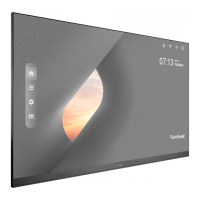
IFP9850-4
Commercial Touch Display
User Guide
Model No. VS18697
P/N: IFP9850-4
IMPORTANT: Please read this User Guide to obtain important information on installing and using your product in
a safe manner, as well as registering your product for future service. Warranty information contained in this User
Guide will describe your limited coverage from ViewSonic® Corporation, which is also found on our web site at
http://www.viewsonic.com in English, or in specific languages using the Regional selection box in the upper right
corner of our website. “Antes de operar su equipo lea cu idadosamente las instrucciones en este manual”


Table of Contents

Questions and Answers

  • M
    monica40Sep 12, 2025
    How to fix sound coming from only one speaker on a ViewSonic Monitor?
    • R
      Rhonda RobinsonSep 12, 2025
      If your ViewSonic Monitor only outputs sound from one speaker, adjust the sound balance in the menu. Also, check the sound control panel settings of the computer and the audio cable.
  • J
    jenniferperezSep 14, 2025
    How to fix 'Unsupported format' error on ViewSonic Monitor?
    • A
      amywilliamsSep 14, 2025
      If your ViewSonic Monitor displays an unsupported format message, choose auto adjust. If the issue persists, adjust clock and phase settings.

ViewSonic VS18697 Specifications

General IconGeneral
Aspect Ratio16:9
Resolution2560 x 1440
Contrast Ratio1000:1
Input ConnectorsVGA
Panel TypeIPS Technology

Related product manuals