13
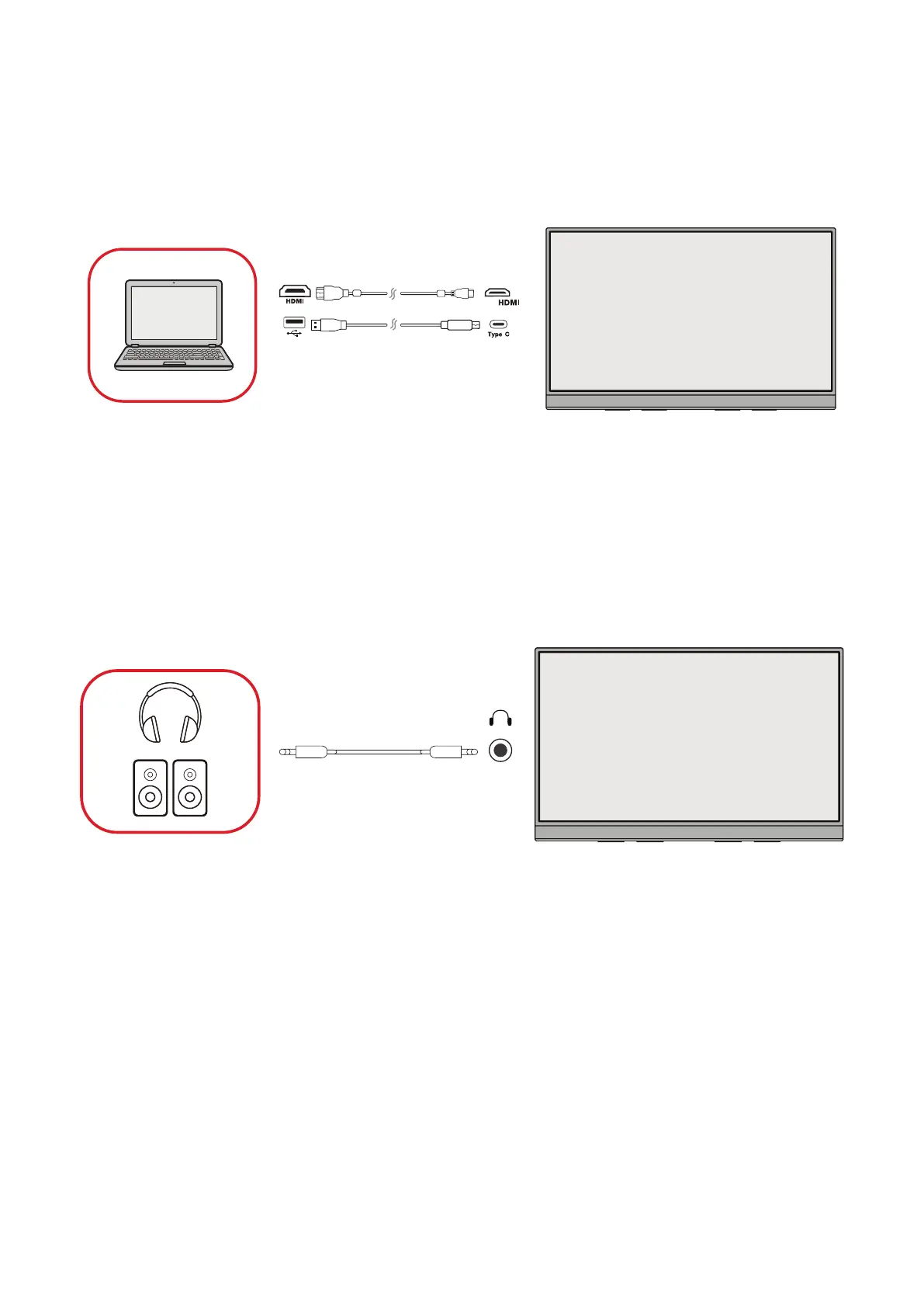
Mini HDMI Connecon
1. Connect an HDMI cable from your external device to the mini HDMI port on the
monitor.
2. Connect the USB Type A to USB Type C cable from your external device to the
monitor.
mini
(The power output must be greater than 15W)
NOTE: The USB Type A to USB Type C connecon will also supply power to the
monitor from the notebook. The power output must be greater than
15W.
Audio Connecon
Plug the audio jack of an audio device into the Audio Out port of the monitor.



 To Next Page