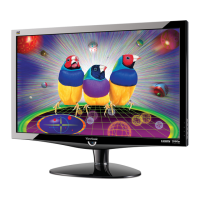
3. Front Panel Function Control Description
3.1 Front Panel Hardware Controls
Power Switch AC Power Switch on the back cover
Soft Power Switch on the front bezel
Power LED (Front Head) Blue – ON
Amber – Active Off
Dark = Soft Power Switch OFF
Front Panel Controls (Head)
[ 1 ] [ 2 ] [ ] [▲] [▼]
[ ] Power
[ 1 ] Button 1
[ 2 ] Button 2
[▲] Up arrow button
[▼] Down arrow button
Note: Power Button, Button 1 and Button 2
must be one-shot logic operation. (i.e. there
should be no cycling)
Reaction Time OSD must fully appear within 0.5s after
pushing Button 1
3.2 Short Cuts Function from the button
[1] Main Menu
(refer to segment 4-6-3)
[2] Input toggle (Analog or DVI or HDMI; refer to refer to
EDID Text)
[▼] To immediately activate Audio Adjust menu.
[▲] To immediately activate Contrast / Brightness OSD
Menu.
[▼]+ [▲] 1. In the Audio mode, recall both of Volume and Mute
to default without OSD message.( Under Volume
adjust sub-menu, recall Volume to default without
OSD message.)
2. In the BT / CR mode, recall both Contrast and
Brightness to default in its menu without OSD
message. (Under Contrast or Brightness adjust
sub-menu, recall Contrast or Brightness to its default
without OSD message.)
* While OSD menu off, recall CR/ BT/ Audio volume
CONFIDENTIAL – DO NOT COPY


 To Next Page
 Loading...