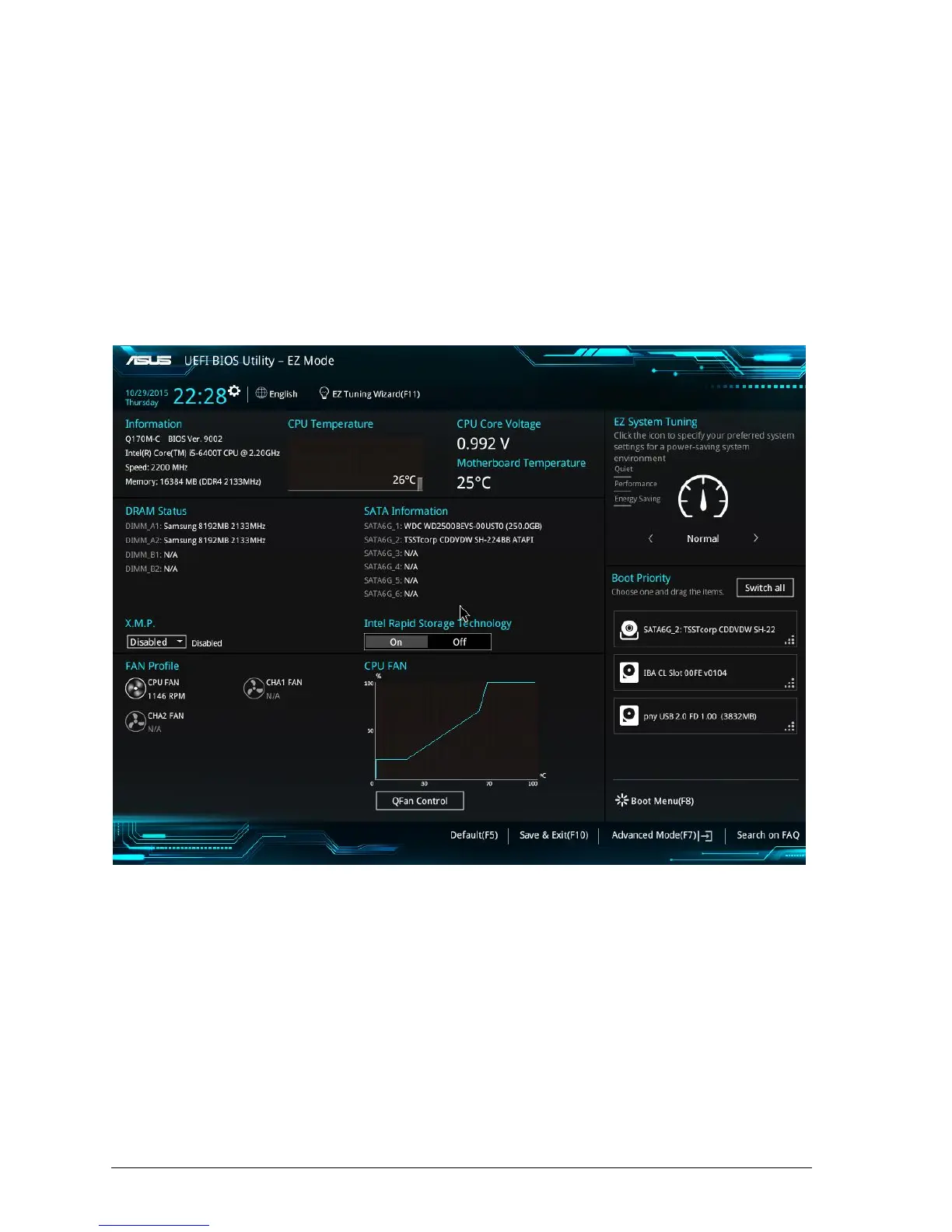
BIOS menu screen
The BIOS setup program can be used under two modes: EZ Mode and Advanced
Mode. You can change modes from the Exit menu or from the Exit/Advanced Mode
button in the EZ Mode/Advanced Mode screen.
EZ Mode
By default, the EZ Mode screen appears when you enter the BIOS setup program. The
EZ Mode provides you an overview of the basic system information, and allows you to
select the display language, system performance mode and boot device priority. To
access the Advanced Mode, click Exit/Advanced Mode, then select Advanced Mode or
press F7 for the advanced BIOS settings
Figure 35: BIOS Main Menu – EZ Mode
• The boot device options vary depending on the devices you installed to the system.
• The Boot Menu (F8) button is available only when the boot device is installed to the
system.



 To Next Page