4
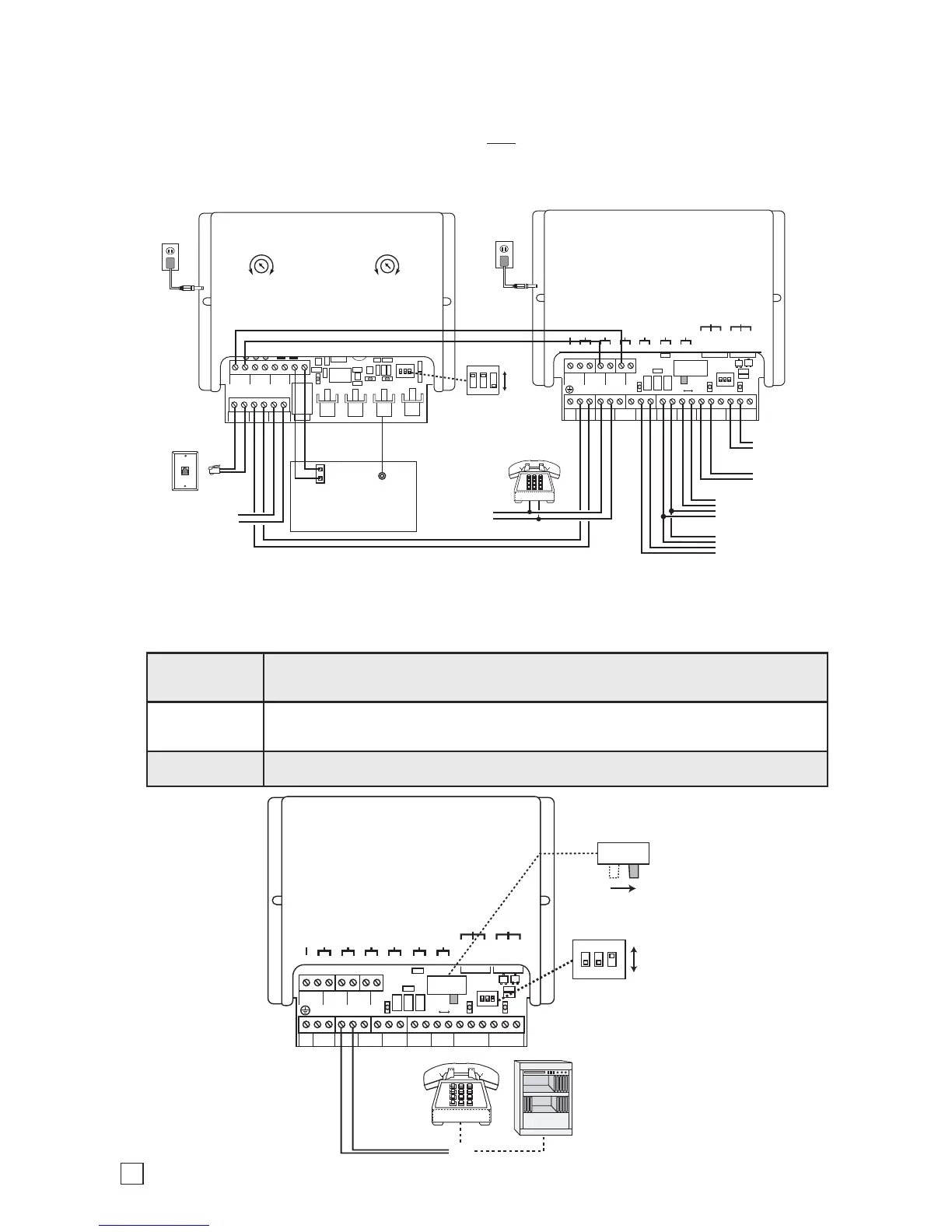
B. Provide Paging, Doorbox, and Doorstrike Control with Unique Front and Back Door Chimes
Note: To provide unique front and back door chimes, the C-1000B must be programmed to enable the “Auxiliary
Contact Mode” (
Q
7) and have the auxiliary contact programmed for custom ring cadence (12#03). Doorbox ringing
can also be disabled by placing the C-1000B in the “Doorbell Mode” (
Q
1). See Quick Programming Features,
page 6. The C-1000B CCTV Video Control Mode can NOT
be used in conjunction with unique front and back
door chimes. The caller’s music on hold is limited to 5 seconds while the home owner is communicating with a
doorbox. The Inhibit Auxiliary Ring Cadence mode (
Q
9) can be used to inhibit the C-1000B from triggering the
SLP-1 during a phone call (since call waiting tones will be heard).
The C-1000B can also be used without a C.O. line. This is ideal for connecting the C-1000B to an unused
trunk/line input of your phone system or connecting to phones used only for doorbox communication.
C. Using a C-1000B without a C.O. Line
Step 1.
Connect the power, required doorboxes, and doorstrike outputs (if required) as shown in
section A.
Step 2.
Connect an analog phone or unused PABX/KSU trunk port to terminals 4 & 5, “LINE OUT
TO PHONES” on the C-1000B.
Step 3. Be sure the “Talk Battery Switch” is in the ON position.


 To Next Page