VIKING TECHNICAL SUPPORT 1.800.908.0884
23
Wireless Communication Options
!
Technical Tip: DO NOT set the “Timer” and/or “Overlap” features on both operators
Control Boards. Only turn these features on at the Master Control Board.
MASTER/SLAVE SETUP
REQUIRED ADD-ON:
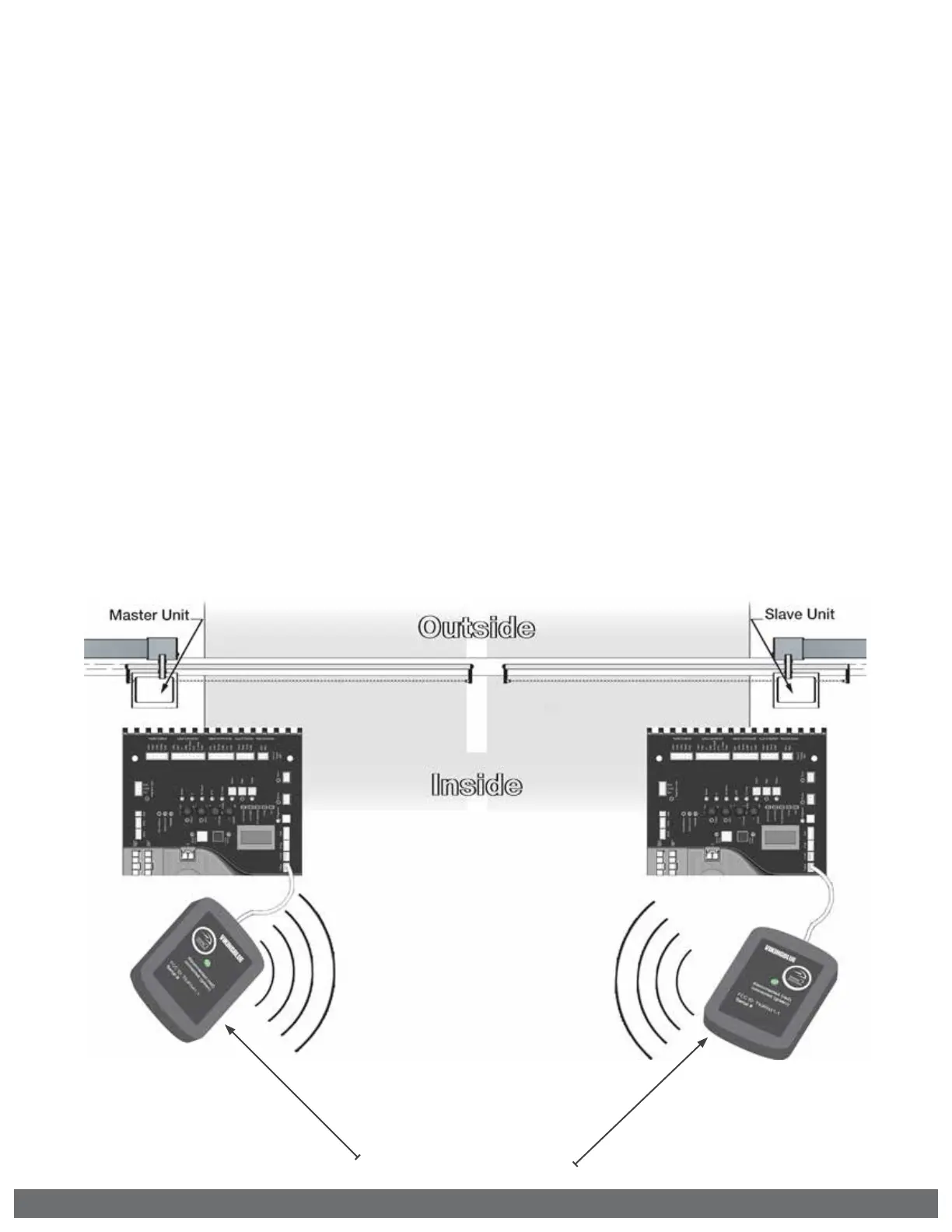
Viking Konnect - Wireless Master/Slave Kit
PART# VA-KONNECT-MS
Green LEDs will be illuminated
solid when communication is ON.
Step 1
Plug the modules on to the “V.K” plug & play connection of each operators Control
Board. It is not important which board the master or slave module is placed on.
Step 2
At the Master Operator:
Connect the secondary entrapment protection sensor(s)
as described on pages 11 and 22.
Step 3
At the Slave Operator: Turn ON the SLAVE MODE Feature as described on page 22.


 To Next Page