26 - ENGLISH
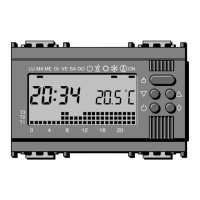
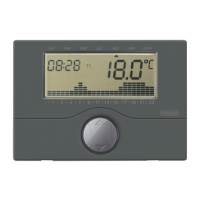
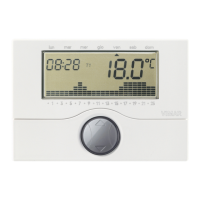
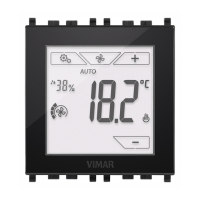
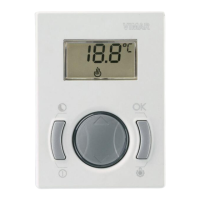
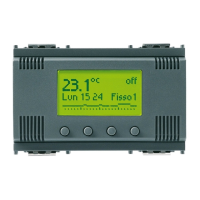
To program the electronic thermostat, from the starting screen of the
display, press any one of the four front buttons.
The following icons appear:
- “Esc” (button A): cancels the selection.
- “” (button B): displays the value of the currently active tempera-
ture set-point (Ts) and, when the button is next pressed, allows
this value to be reduced by the desired amount; pressing “Set”
(button D) causes this new value to remain active until the next pro-
grammed temperature set-point change, after which the program
stored in memory is resumed.
- “” (button C): displays the value of the currently active tempera-
ture set-point (Ts) and, when the button is next pressed, allows
this value to be increased by the desired amount; pressing “Set”
(button D) causes this new value to remain active until the next pro-
grammed temperature set-point change, after which the program
stored in memory is resumed.
- “Menù” (button D): used for accessing the “Operation” menu.
• Press “” (button B): the “Settings” and “Programming” menu
items appear; “” (button C) scrolls up in the menu, “ok” (button
D) selects the desired menu, and “Esc” (button A) returns to the
starting screen.
7.1 OPERATION.
Selects the operating mode of the programmable thermostat,
choosing between “Auto/Manual”, “Switching off”, “Heating/Air
Con.”, “Antifreeze”.
- Confirm “ok” (button D) = scroll menu using “” (button B) and “”
(button C), select setting using “Set” (buton D) for “Auto/Manual”,
“Switching off”, “Heating/Air Con.”, “Antifreeze”.
• AUTO/MANUAL.
Configures the programmable thermostat for either automatic or
manual operation.
In “Automatic” mode, the temperature is regulated by the cur-
rently active programme stored in memory (see “Select Prog.”,
page 28).
In “Manual”mode, the switch-on and switch-off of the heating or
cooling system can be controlled manually:
- “” (button B): displays the value of the currently active tem-
perature set-point (Ts) and, when the button is next pressed,
allows this value to be reduced as required.
- “” (button C): displays the value of the currently active tem-
perature set-point (Ts) and, when the button is next pressed,
allows this value to be increased as desired.
7. USING THE ELECTRONIC TIME-PROGRAMMABLE THERMOSTAT.


 To Next Page