CLOCK C100 – Vacuum tube clock VFD
_____________________________________________________________________________________
User Manual - EN 4
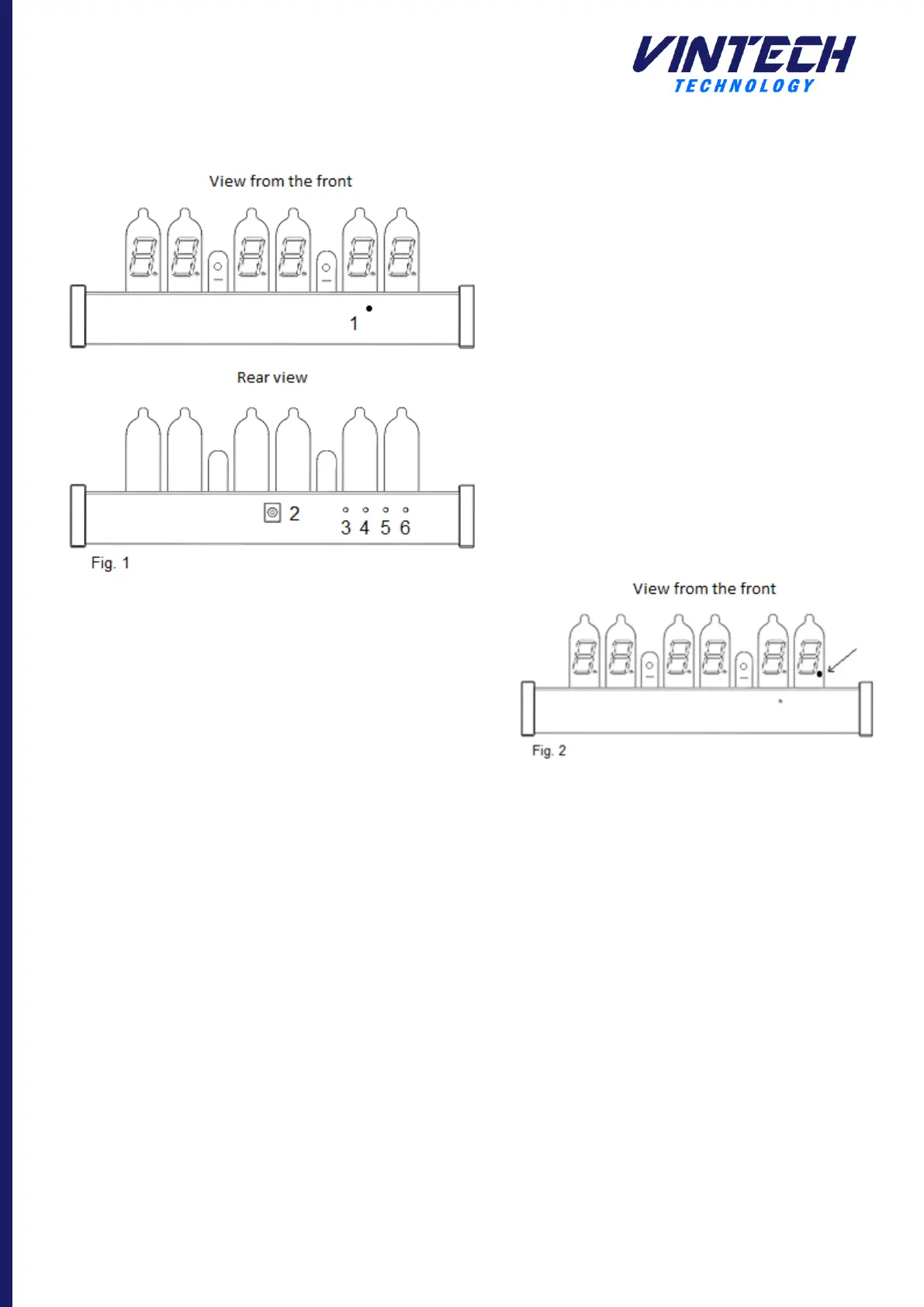
4. Description of the clock
1 : Light sensor
2 : Power connector
3 : "configuration" button
4 : "+" button
5 : "-" button
6 : "OK" and / or "Alarm" button
5. Installation
The clock must be installed in a dry and dust free place.
Observe safety instructions.
In use, the tubes and the clock housing heat up slightly. It
must be installed in a sufficiently ventilated room and at a
temperature between 0°C and 40°C (32°F to 104°F). Do not
cover the clock during operation.
6. Getting started
The power supply unit supplied with the clock is compatible
for all types of electrical networks, between a voltage of
110V and 230V, 50Hz to 60Hz.
Connect the power supply cable to the connector on the
back of the clock. Connect the power supply to the mains.
The clock displays a welcome message "Hello" and a beep
indicating its initialization phase. By default, the clock
displays the time at "00H00M00".
7. Clock configuration
7.1 Display modes
There are 3 display modes:
• Mode 1: Time display
• Mode 2: Date Display
• Mode 3: Alternate time display
By default, mode 1 is selected. Pressing the "+" and
"-" keys changes the display mode. Each time you
press one of the two buttons, a number is displayed
for one second indicating the selected display mode.
7.2 Activation / deactivation of the alarm
By default, the alarm is disabled. Activation or
deactivation of the alarm is done by pressing the
"ALARM" key.
An indicator at the bottom of the last tube indicates
the state of the alarm (Fig. 2). If the alarm is
activated, the indicator is lit. If the alarm is disabled,
the indicator is off.
If the alarm is activated, if the alarm time is the
same as the clock time, the alarm will sound. By
default, the backlighting of the tubes flash at their
maximum power in white for 30 seconds. This mode
can be changed in the parameter setting (Menu 6).
Pressing any button will turn off the alarm if it is
triggered.



 To Next Page